ElectionChamp
What Is Online Voting?
Online voting — also called electronic voting or e-voting — is the process of casting and counting votes over the internet instead of using paper ballots. Instead of showing up to a physical location, marking a paper form, and dropping it in a box, voters receive a secure link or access code, log in from any device with an internet connection, and submit their choices digitally.
The results are calculated automatically. No hand-counting, no lost ballots, no ambiguous marks that need interpretation.
To be clear: we’re talking about organizational elections here — the kind run by HOAs, nonprofits, unions, churches, schools, and businesses for their own internal governance. We’re not talking about government elections (city council, state legislature, etc.), which have their own separate legal frameworks.
How Does Online Voting Actually Work?
The process is simpler than most people expect. Here’s what happens behind the scenes:
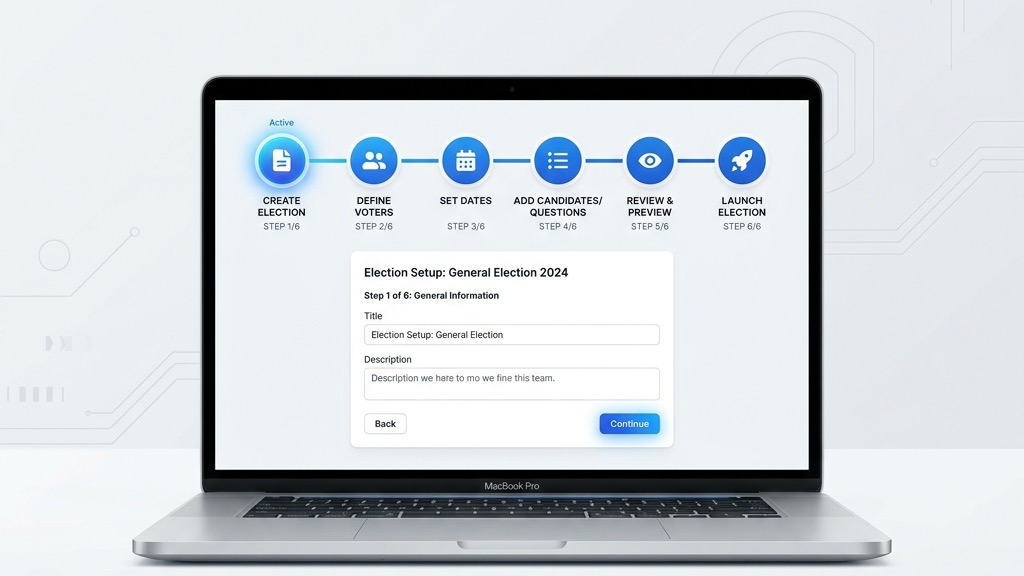
- An administrator creates the election. They set up the ballot (questions, candidates, voting method), upload a list of eligible voters, and configure the voting window (start and end dates).
- Each voter gets a unique key. The system generates a randomly created, unique 16-digit voting key for every eligible voter. This key is their personal access pass — it works exactly once.
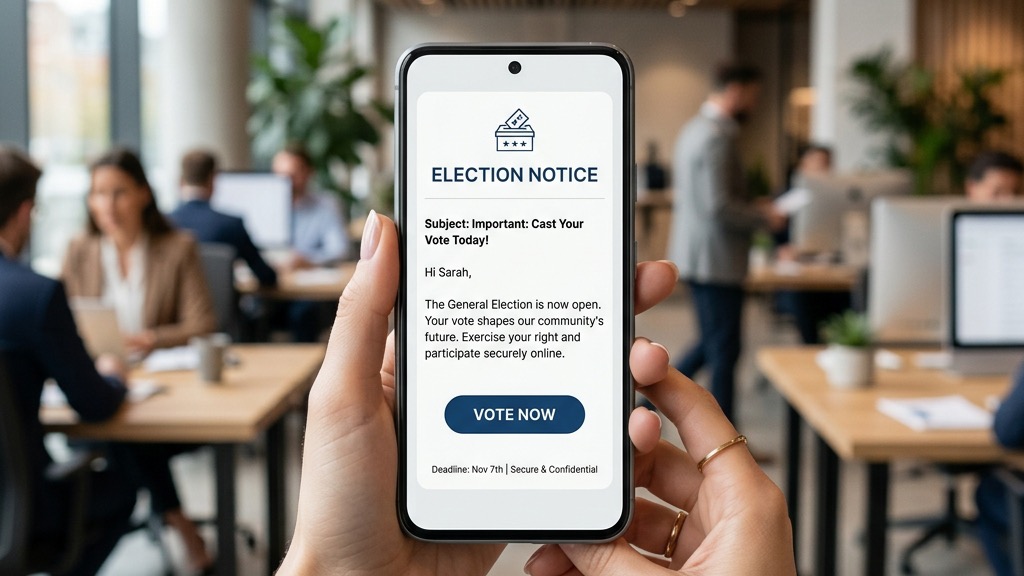
- Voters receive notification. Depending on the setup, voters get an email, SMS, or physical letter containing their unique voting link or key.
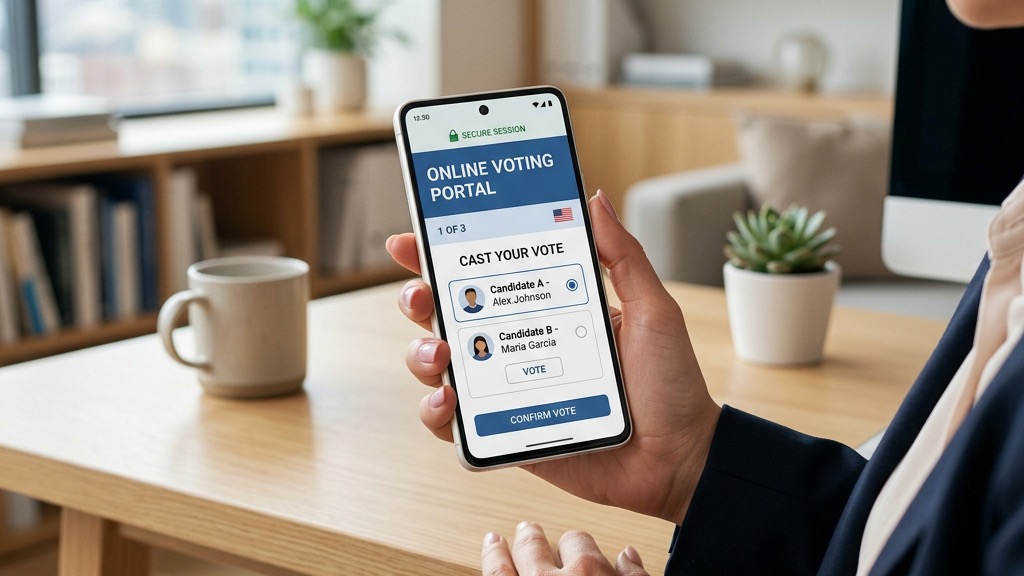
- Voters cast their ballot. They click the link or enter their key on the voting page, make their selections for each ballot question, review their choices on a confirmation page, and submit.
- The key is deactivated. The moment a ballot is submitted, the voting key is permanently deactivated. No one can vote again with that key or change their vote. This is intentional and cannot be overridden.
- Results are calculated automatically. Once the election closes (or in real-time for the admin), results are tallied instantly. The admin can view them visually, download a CSV report, or email results to all voters.
Is Online Voting Actually Secure?
This is the number one question people ask, and it’s a fair one. The short answer: yes, when implemented properly, online voting is extremely secure. Here’s what a well-built platform like ElectionChamp uses to protect your election:
- AES-256 Encryption: The same encryption standard used by banks and government agencies. All data at rest is encrypted, and all connections use SSL/TLS.
- Unique 16-Digit Voter Keys: Each voter gets a randomly generated key that works exactly once. There’s no way to vote twice, and no way to change your vote after submission.
- Anonymous Ballots: Votes are completely decoupled from voter identities. Even the administrator cannot see who voted for what. They can see that someone voted, but never what they voted for. This is by design and cannot be overridden.
- Full Audit Trail: Every administrative action is logged with timestamps. This log serves as your compliance record for governance reviews.
- Voter Masking: During active elections, the system hides the voting status of the last 5 voters to make it impossible to correlate timing with identity.
For most organizational elections — board votes, officer elections, bylaw amendments, budget approvals — this level of security far exceeds what paper ballots can offer. Paper ballots can be lost, miscounted, intercepted, or tampered with. Digital systems eliminate those risks.
Who Uses Online Voting?
Online voting isn’t just for tech companies. Organizations of all types and sizes have adopted it:
- HOAs and Condo Boards: Board elections, bylaw amendments, budget approvals, special assessments. Online voting helps reach quorum faster and dramatically increases participation compared to paper.
- Nonprofits and Charities: Board elections, membership votes, officer elections, policy referendums. Transparent governance builds donor confidence.
- Unions: Officer elections, contract ratification votes, strike authorization votes. Secure secret ballots are critical for union compliance.
- Churches and Religious Organizations: Pastor/elder selection, congregation votes, committee elections. Online voting accommodates members who can’t attend in person.
- Schools and Universities: Student council elections, faculty governance, PTA votes, homecoming court. Students expect digital-first experiences.
- Businesses and Corporations: Board elections, shareholder votes, employee recognition, company-wide decisions.
- Professional Associations: Officer elections, delegate votes, bylaw changes. Dispersed membership bases make online voting essential.
- Cooperatives and Credit Unions: Board elections, policy votes, budget approvals. One-member-one-vote principles are perfectly suited for online systems.
Online Voting vs. Paper Ballots: Why Organizations Are Switching
The advantages are significant across every dimension:
- Cost: No printing, no postage, no venue rental, no staff for counting. A 200-voter election costs $10 on ElectionChamp versus hundreds or thousands for paper.
- Participation: Organizations consistently report 20–50% higher turnout when switching from paper to online. Voters can participate from their phone in 60 seconds instead of driving to a meeting.
- Accuracy: No hanging chads, no misread marks, no counting errors. Results are calculated instantly and are mathematically verifiable.
- Speed: Results are available the moment the election closes. No waiting for ballots to arrive, no multi-day counting processes.
- Accessibility: Voters with mobility challenges, busy schedules, or remote locations can all participate equally. No one is excluded because they can’t physically attend.
- Environmental Impact: Zero paper waste. A single large-organization election can save thousands of sheets of paper.
Common Myths About Online Voting
Myth: Older members won’t be able to use it
Modern online voting platforms are designed to be simpler than ordering something from Amazon. Voters click a link, make their selection, and hit Submit. If someone can send an email, they can vote online. For members without internet access, most platforms support hybrid elections with printable manual voting keys.
Myth: It’s not legally valid
Online voting is legally valid for internal organizational elections in most jurisdictions. Many states have specifically passed legislation enabling electronic voting for HOAs, nonprofits, and other membership organizations. Always check your bylaws and state law, but the legal landscape is increasingly supportive.
Myth: Results can be manipulated
With proper encryption, unique voter keys, and audit trails, online voting is actually harder to manipulate than paper. Every action is logged, every vote is encrypted, and results are mathematically verifiable. There’s no equivalent of a box of paper ballots going missing.
How to Get Started
Getting started with online voting is straightforward:
- Check your bylaws. Make sure your governing documents allow electronic voting. If they don’t, you may need a bylaw amendment first (which can itself be voted on).
- Choose a platform. Look for security (encryption, unique voter keys, audit trails), ease of use, transparent pricing, and support quality.
- Run a test election. Most platforms offer free trials. Set up a small test with your board or committee to get comfortable with the process.
- Communicate with members. Let voters know the election will be online, explain how it works, and provide support resources.
- Launch your election. Follow the platform’s setup wizard and go live.
Ready to run your first election? Start for free at ElectionChamp.com — no credit card required for up to 20 voters. All features included on every plan.