ElectionChamp
Introduction
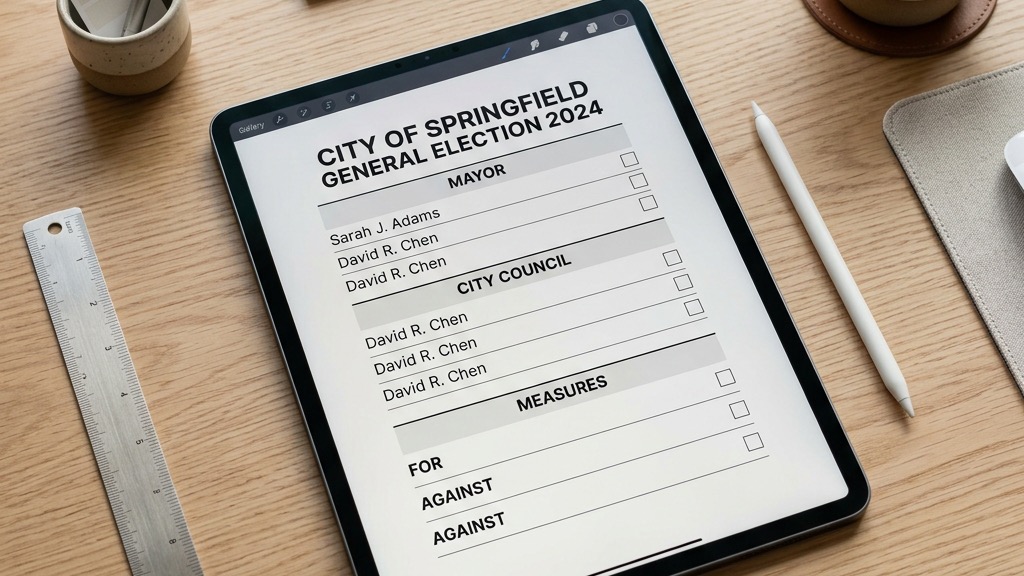
Your ballot is the single most important element of your election. It’s what every voter interacts with. A confusing ballot leads to frustrated voters, invalid selections, and disputed results. A clear, well-structured ballot leads to confident voters, clean data, and outcomes everyone trusts.
The good news: designing a great ballot doesn’t require a design degree. It requires clarity of thought, attention to detail, and understanding of a few core principles. This guide covers everything you need to know.
Principle 1: One Question, One Purpose
Every ballot question should have a single, clear purpose. Don’t combine multiple decisions into one question. If you need to elect a president and approve a budget, those should be separate ballot questions — not bundled together.
On ElectionChamp, you can add unlimited ballot questions to a single election. Each question can even use a different voting method. For example:
- One Plurality question for President (most votes wins)
- One Ranked Choice question for Board Members (voters rank preferences)
- One Yes/No question for Budget Approval
- One Nomination question for open suggestions
Principle 2: Write Clear, Neutral Question Titles
The question title (called “Election Position” in ElectionChamp) appears as the heading for each ballot section. Make it descriptive and neutral.
Good examples:
- “President — 2026–2028 Term”
- “Board of Directors (3 Seats Available)”
- “Bylaw Amendment: Remote Voting Authorization”
Avoid:
- “Vote for the best candidate!” (leading language)
- “Stuff to vote on” (vague)
- “Question 1” (meaningless without context)
Principle 3: Write Voter Instructions That Eliminate Confusion
The Voter Instructions field appears directly above the candidate list. This is your chance to tell voters exactly what they need to do and what the rules are.
Always include:
- How many selections to make: “Select up to 3 candidates” or “Select exactly 2”
- The term length: “Terms are 2 years, beginning July 1, 2026”
- Any special context: “This is a ranked choice ballot. Rank candidates in order of preference, with #1 being your top choice.”
Keep instructions short and scannable. Voters are not going to read a paragraph of fine print. Two to three sentences is ideal.
Principle 4: Present Candidates Professionally
For each candidate, ElectionChamp lets you add a photo and a biography. Voters can click “View Info” on their ballot to read these details before making their selection.
Best practices for candidate profiles:
- Use consistent photo formats (headshots on neutral backgrounds work best)
- Keep biographies to 100–200 words covering qualifications, experience, and vision
- Give all candidates equal space — don’t give one a 500-word bio and another 50 words
- Include current role or title for context
Principle 5: Use the Right Voting Method for the Decision
Choosing the wrong voting method is one of the most common ballot design mistakes. Here’s a quick guide:
- Plurality (FPTP): Use when voters select one or more candidates and the most votes win. Best for: straightforward officer elections, Yes/No decisions, multi-seat boards where you just need the top vote-getters.
- Ranked Choice (Borda Count): Use when you want the winner to have the broadest consensus, not just the most first-choice votes. Voters rank candidates in order of preference. Best for: selecting candidates where broad support matters more than a plurality.
- Nominations (Write-In): Use when you want members to suggest candidates rather than choose from a predefined list. Best for: crowdsourcing candidates, open-ended suggestions, early-stage nomination processes.
- STV (Single Transferable Vote): Use for multi-seat elections where proportional representation matters. Surplus votes are transferred to ensure fair representation. Best for: board elections where different constituencies need representation.
Principle 6: Configure Advanced Settings Thoughtfully
ElectionChamp provides several advanced settings per question. Use them intentionally:
- Total Winners: Set this to match the number of available seats. “3” for a three-seat board.
- Selection: Up To vs. Exactly: “Up to 3” means a voter can pick 1, 2, or 3 candidates. “Exactly 3” means they must select exactly 3 to submit. Use “Up to” when flexibility matters; use “Exactly” when you need voters to fill all available seats.
- Random Order: Shuffles the candidate display order for each voter. This eliminates positional bias (studies show the first name on a ballot receives a measurable advantage). Enable this for any competitive election.
- Allow Abstain: Adds an explicit “Abstain” button. When a voter abstains, it counts as valid participation (boosting your participation rate), but no vote goes to any candidate. Abstain counts are displayed separately in results. This is important for organizations that need to track participation independently from vote counts.
- Ask for Comments: Adds an anonymous text box for feedback. Useful for gathering input alongside votes.
Principle 7: Preview Before You Launch
Always preview your ballot before launching. ElectionChamp’s Preview Ballot feature shows you exactly what voters will see. You can interact with it fully — select candidates, confirm, and view the thank-you page — without affecting real data.
Check for:
- Typos and grammatical errors in titles and instructions
- Candidate names spelled correctly
- Photos displaying properly
- Voting method working as intended
- Selection limits (Up to / Exactly) behaving correctly
Have at least one other person review the preview too. Fresh eyes catch things you’ll miss.
Ready to run your first election? Start for free at ElectionChamp.com — no credit card required for up to 20 voters. All features included on every plan.