ElectionChamp
Not Everything Is a Board Election
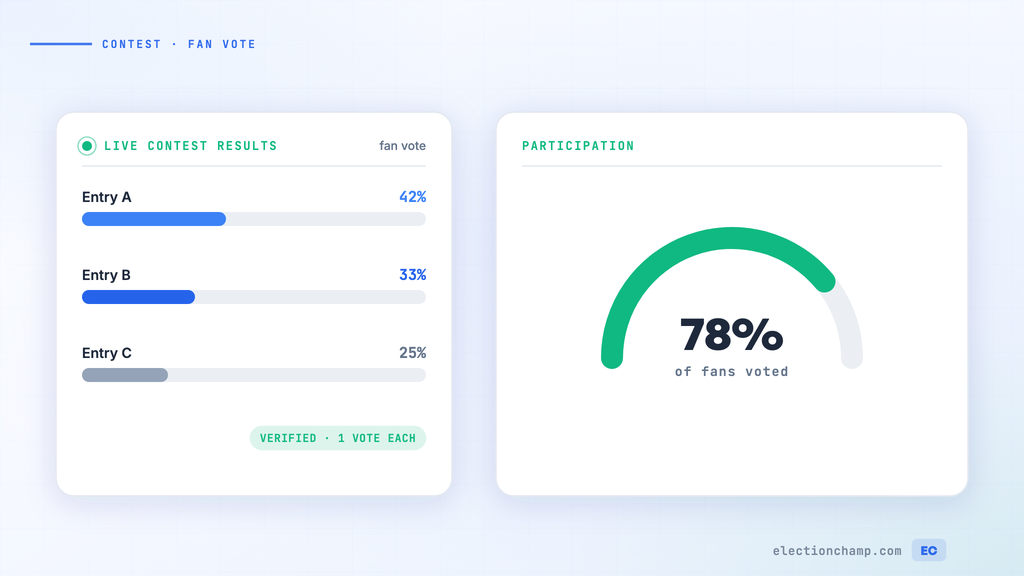
Online voting isn’t just for governance. Businesses, schools, media companies, community organizations, and event planners regularly need to run votes where the audience or community decides: photo contests, design competitions, community awards, fan favorites, recipe contests, talent shows, and more.
The challenge with contest voting is fraud. Without proper controls, motivated participants will vote multiple times, share links for ballot stuffing, or create fake accounts. ElectionChamp’s secure voting architecture — designed for high-stakes governance elections — is equally effective at preventing contest fraud.
Types of Contest and Competition Votes
|
Contest Type |
Example |
Voting Method |
Typical Voters |
|
Photo contest |
“Best vacation photo” — community picks the winner |
Plurality (vote for 1) |
Contest audience or community members |
|
Design competition |
Logo contest, poster design, product design |
Plurality or Ranked Choice |
Panel, employees, or public audience |
|
Community awards |
“Best Local Restaurant,” “Neighbor of the Year” |
Plurality |
Community members |
|
Fan favorite |
“Best performance,” “Audience choice award” |
Plurality |
Event attendees or online audience |
|
Recipe/food contest |
“Best chili at the cookoff” |
Plurality or Ranked Choice |
Tasters or attendees |
|
Talent/performance |
“Best act,” “People’s choice” |
Ranked Choice (for nuance) |
Audience |
|
Employee contests |
Innovation challenge, hackathon winner, best project |
Plurality or Ranked Choice |
Employees or panel |
Why Standard Online Polls Fail for Contests
- No authentication: Google Forms, SurveyMonkey, and social media polls let anyone vote as many times as they want from different browsers or devices
- No anonymity: Some poll tools show who voted for what, which discourages honest participation
- No fraud prevention: Without unique voter keys, ballot stuffing is trivial
- No audit trail: When results are challenged (and in contests, they always are), there’s no way to verify the process
Setting Up a Contest Vote in ElectionChamp
- Create the election: “Best Vacation Photo Contest 2026” or “Community Choice Awards”
- Build the ballot: Add each entry as a “candidate” with their photo and description. Use Plurality voting. Set Total Winners to the number of prizes (1 for a single winner, 3 for top 3, etc.).
- Enable Random Order: Prevents the first-listed entry from getting extra votes due to position.
- Create the voter list: This depends on your contest:
- Closed contest (employees, members, registered participants): Import the voter list with emails
- Open contest (public audience): Collect registrations with email addresses, then import as voters. Each registered voter gets one unique key.
- Set Result Visibility to “After Election Ends” for a dramatic reveal at your event or announcement.
- Set the voting window: 3-7 days for most contests. Short enough to maintain excitement, long enough for everyone to participate.
- Launch and promote through your channels.
Preventing Ballot Stuffing
This is the #1 concern for contest organizers. ElectionChamp prevents it at every level:
- One unique key per voter: Each registered voter receives a single-use key. After voting, the key is permanently deactivated. Voting twice is physically impossible.
- No public ballot link: Unlike open polls, there’s no shareable URL that anonymous visitors can use. Every voter must be on the list.
- No self-registration: Voters must be imported by the administrator. This prevents contestants from creating fake accounts to vote for themselves.
- Audit trail: If fraud is suspected, the complete log of who was added, when notifications were sent, and when votes were submitted provides clear evidence.
Making Contest Voting Engaging
- Use photos: Upload contestant photos as candidate images. Visual ballots get significantly higher engagement.
- Write compelling descriptions: Don’t just list “Entry #7” — describe what makes each entry special.
- Create excitement around the reveal: Keep results hidden until a live announcement at your event, meeting, or social media reveal.
- Share participation stats: “250 votes cast so far — vote by Friday!” creates urgency.
- Promote through the right channels: Email and SMS for registered audiences, social media for broader awareness.
Contest Voting vs. Governance Voting: Key Differences
|
Element |
Governance Election |
Contest Vote |
|
Stakes |
Leadership, policy, budgets |
Recognition, prizes, fun |
|
Voter list source |
Membership roll |
Contest registrations or event attendees |
|
Voting window |
7-14 days |
3-7 days |
|
Communication tone |
Formal and procedural |
Exciting and promotional |
|
Result announcement |
Business meeting or email |
Live event, social media reveal |
|
Anonymity importance |
Critical — protects voters |
Nice to have — prevents social pressure |
|
Platform features used |
All governance features |
Photos, random order, result visibility control |
Ready to modernize your organizational voting? Start for free at ElectionChamp.com — secure, anonymous, and mobile-friendly voting for every organization.