ElectionChamp

Running an HOA board election can feel overwhelming, especially if you are doing it for the first time. Between governing document requirements, nomination deadlines, quorum thresholds, and member communication, there is a lot to coordinate. But with a clear timeline and the right tools, your board election can run smoothly and produce results your community trusts.
This guide walks you through every phase of an HOA board election, from pre-planning to swearing in new board members. Whether you are a board president, secretary, property manager, or election committee member, you will find actionable steps you can follow immediately.
Phase 1: Pre-Election Planning (8–12 Weeks Before)
Good elections start months before the first ballot is cast. Use this phase to review your governing documents and establish the framework for a fair process.
Review Your Governing Documents
Before you do anything else, pull out your HOA’s CC&Rs, bylaws, and any election-specific rules. Look for requirements around:
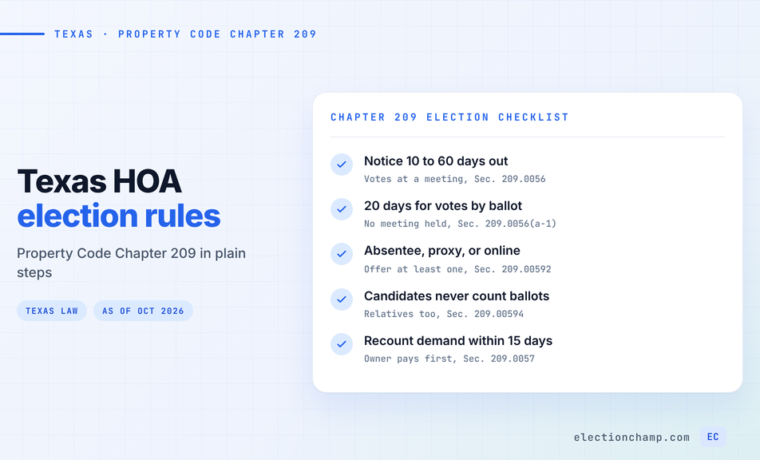
- How far in advance election notices must be sent (typically 10–60 days)
- Whether nominations must come from a nominating committee or can be self-nominated
- Term lengths and staggered term structures
- Quorum requirements for valid elections
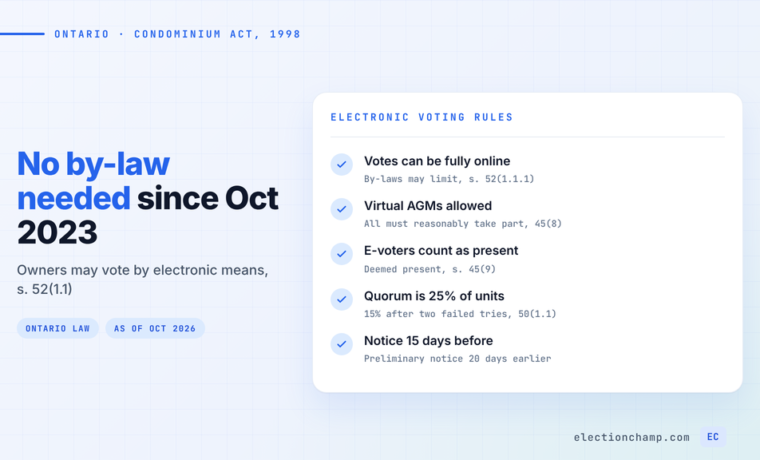
- Whether electronic voting is permitted or requires a bylaw amendment
If your bylaws do not address electronic voting, you may need to amend them before proceeding with an online election. See our guide on amending HOA bylaws for online voting for detailed instructions.
Form an Election Committee
Best practice calls for an independent election committee of two to three members who are not running for the board. This committee oversees nominations, manages the ballot, and certifies results. Having a neutral committee prevents conflicts of interest and builds community trust in the process.
Establish the Election Timeline
A typical HOA board election follows this general timeline:
|
Milestone |
Timing |
Key Actions |
|
Initial Notice |
8–12 weeks before |
Announce upcoming election and call for nominations |
|
Nomination Period |
6–8 weeks before |
Accept candidate nominations and statements |
|
Nomination Close |
4–6 weeks before |
Finalize candidate list and verify eligibility |
|
Ballot Preparation |
3–4 weeks before |
Build ballot, set up platform, test everything |
|
Election Notice |
10–30 days before |
Send official election notice with candidate info |
|
Voting Period |
Election week(s) |
Open voting, send reminders, monitor participation |
|
Results & Transition |
After close |
Certify results, notify community, seat new board |
Phase 2: Nominations (6–8 Weeks Before)
The nomination process determines who appears on the ballot. Getting it right is both a legal requirement and a governance best practice.
Open the Nomination Period
Send a formal notice to all homeowners announcing the upcoming election and inviting nominations. Your notice should include:
- Number of open board seats and term lengths
- Eligibility requirements (e.g., must be a homeowner in good standing)
- How to submit a nomination (form, email, or in person)
- Deadline for nominations
- Date of the election
Collect Candidate Statements
Ask each nominee to submit a brief candidate statement, typically 150 to 300 words, along with a headshot photo. These statements give voters meaningful information and significantly increase engagement. On ElectionChamp, candidate photos and biographies appear directly on the ballot, so voters can click View Information to learn about each candidate before voting.
Verify Eligibility
Before finalizing the candidate list, verify that each nominee meets your bylaws’ eligibility criteria. Common requirements include current homeownership, account in good standing (no delinquent assessments), and not currently in litigation with the HOA.
Phase 3: Ballot Setup (3–4 Weeks Before)
With your candidate list finalized, it is time to build the actual ballot.
Configure the Election on ElectionChamp
- Create a new election, from scratch or from the Annual HOA template. On the Start step, enter your HOA name, the election name (e.g., “Sunset Hills HOA 2026 Board Election”), and add your community logo.
- On the same page, set when voting opens and closes, and check the time zone shown under the dates. It is detected from your browser, and “Change” picks another.
- Add a ballot question for the board election. Choose Plurality as the voting method if voters simply select their preferred candidates. Set Total Winners to the number of open seats.
- Add each candidate with their name, photo, and biography.
- Enable Random Order to eliminate position bias on the ballot.
- Enable Allow Abstain so homeowners can formally participate without selecting a candidate.
Set Selection Rules
If you have three open seats, you typically want voters to select up to three candidates. Use the “Up to” selection setting rather than “Exactly” to give voters flexibility. Some homeowners may only want to vote for one or two candidates, and that is their right.
Preview and Test
Use “Preview the full ballot” on the Ballot step to see exactly what voters will see. Walk through the entire voting flow: selecting candidates, reviewing choices on the confirmation page, and seeing the thank you page. No test data is saved.
Phase 4: Voter List and Notifications (2–3 Weeks Before)
Prepare Your Voter List
Your voter list should include every homeowner eligible to vote. Depending on your notification method, you will need:
- Email addresses for email notifications
- Phone numbers for SMS notifications
- Just names or unit numbers for printed key distribution
Paste your list from Excel or Google Sheets, or upload it as a CSV file. Always set 5 to 10 spare keys for latecomers, ownership transfers, or replacement keys.
Send the Official Election Notice
Most states require formal election notice 10 to 30 days before voting opens. Your notice should include candidate names and statements, election dates and times, how to vote, and who to contact with questions. Send that notice yourself: ElectionChamp sends nothing to homeowners until voting opens. Then, on the Invitations step, repeat the key details in the invitation email. Labels such as [Election name], [Voting link] and [Deadline] fill in for each homeowner.
Phase 5: The Voting Period
Once voting opens, your primary job is monitoring participation and sending reminders.
Monitor the Dashboard
The ElectionChamp dashboard shows real-time metrics including total voters, votes cast, pending votes, and time remaining. The participation trend chart shows voting activity over time, helping you identify when to send reminders.
Send Reminders Strategically
A proven reminder cadence for HOA elections:
- Day 1: Initial notification when voting opens
- Day 3–4: First reminder to those who have not voted
- Day 7: Midpoint reminder emphasizing deadline
- Final day: Urgency reminder (“Last chance to vote!”)
Use “Send Reminder” on the dashboard to send the invitation again to homeowners who have not yet voted: up to 5 reminders on a paid election, at most one every 24 hours. To nudge one homeowner, resend their invitation from the Voters tab.
Handle Questions Promptly
Common voter questions during HOA elections include lost voting links (use Resend), confusion about selection rules, and technical issues with older devices. Having a dedicated email or phone number for election support prevents delays.
Phase 6: Results and Board Transition
Close the Election and Certify Results
When the voting period ends, the election closes automatically. If all voters have cast ballots before the deadline, the system auto-closes the election. Navigate to the Results tab to see the breakdown for each candidate, including vote counts, percentages, and winner designations.
Download and Archive Results
Click Download Results to export a CSV file with complete election data. This CSV serves as your official record and should be stored with your HOA’s governance documents. Many states require HOAs to retain election records for a specific period, typically one to five years.
Communicate Results to the Community
Use the Send Election Results button to email every voter a secure link to view the results online. Additionally, consider posting results in your community newsletter, on your HOA website, and on community bulletin boards.
Seat the New Board
After results are certified, the new board members officially take their seats. Best practices for a smooth transition include:
- Hold an organizational meeting to elect officers (president, vice president, secretary, treasurer)
- Transfer access to HOA bank accounts, management portals, and vendor contacts
- Brief new members on pending issues, contracts, and upcoming deadlines
- Update your HOA’s official records with the new board composition
Common HOA Election Mistakes to Avoid
- Incorrect time zone settings causing the election to open or close at the wrong time
- Not allowing enough time for the nomination period
- Forgetting to add spare keys for late voter additions
- Sending only one notification instead of multiple reminders
- Not archiving results and election records for compliance
- Failing to verify candidate eligibility before building the ballot
Conclusion
Running an HOA board election does not have to be stressful. With proper planning, clear communication, and the right platform, you can conduct a fair, transparent election that your community trusts. The key is starting early, following your governing documents, and giving homeowners every opportunity to participate.
ElectionChamp handles the technical complexity so you can focus on governance. From ballot setup to real-time monitoring to automated results, the platform takes care of the details while you manage the process.
Ready to Modernize Your Election?
ElectionChamp makes online voting simple, secure, and affordable. Free for up to 20 voters, just $10 for up to 200. All features included on every plan.
Start your free election today at electionchamp.com or email support@electionchamp.com for help with your HOA election.
Planning your next vote? Read about HOA online voting and board elections, or see pricing: free up to 20 voters, $10 up to 200, then $0.05 per voter.