ElectionChamp
Short answer: To choose an online voting platform, start with your bylaws: who votes, whether votes are weighted, and which counting methods they require. Then score each vendor on security, ballot anonymity, audit trail, voting methods, weighted and hybrid voting, notifications, mobile access, pricing model, support, and certifications. Drop any vendor that fails a must-have, price your real voter count, and run a free test election before you pay.
Below is a scorecard you can copy, the questions to ask, and published prices as of October 2026. We build ElectionChamp, so we also say where we fall short, including that we hold no SOC 2 report.
Start With What Your Bylaws Require
Before you look at vendors, pull these rules from your bylaws, declaration, or constitution. Skipping this step is how boards end up with software that cannot count the vote their bylaws describe.
- Who is eligible to vote, and whether you have an email or mobile number for each voter
- Whether votes are weighted by unit, share, ownership percentage, or membership class
- The counting method for each office or motion: plurality, ranked, or proportional
- Whether electronic voting is allowed, and any notice, quorum, secret ballot, or paper ballot rules
Mark each item as a must-have or a nice-to-have. A vendor that fails a must-have is out, whatever its price. State or federal rules may also apply to HOAs, condos, and unions, so confirm with your bylaws and counsel.
Online Voting Platform Checklist (Scored)
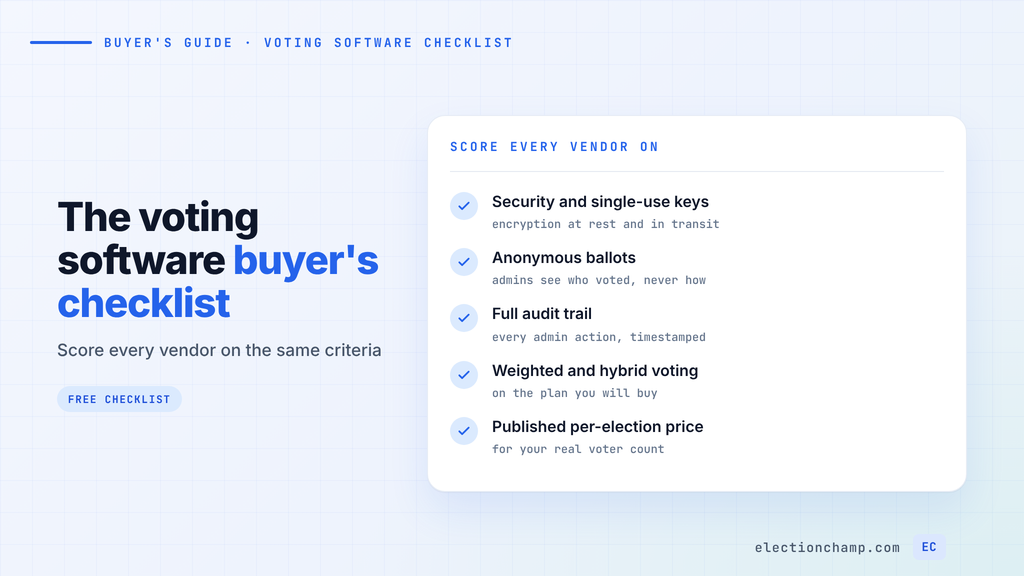
Use this scorecard to compare two or three vendors side by side. Score each row 0 (missing), 1 (partial, or a paid add-on), or 2 (included on the plan you would buy). Multiply each score by its weight and add the results.
| Criterion | What a good answer looks like | Weight | ElectionChamp |
|---|---|---|---|
| Security | Encryption at rest and in transit; a unique, single-use credential per voter | 3 | AES-256 at rest, SSL/TLS in transit, single-use 16-character voter keys |
| Ballot anonymity | Admins can see who voted, never how; no setting can change that | 3 | Anonymous by design; cannot be overridden |
| Audit trail | Timestamped log of every admin action; ballot locks at launch | 3 | Full admin log; ballot and voter list lock at launch |
| Voting methods | Every method your bylaws name, mixed on one ballot | 2 | Plurality, ranked choice (Borda variant), approval, cumulative, motions; multi-seat STV via a free Excel calculator |
| Weighted voting | Weights per voter, on the plan you will actually buy | 2 (3 if required) | Whole-number weights on every plan; no decimals |
| Hybrid and paper | Paper or in-person votes tracked with online votes, no double voting | 1 | Printed single-use keys, tracked in the same election |
| Notifications | Email and SMS, editable templates, scheduled reminders, any language | 2 | Email and SMS; 1 reminder on free, up to 5 on paid |
| Mobile access | Votes in a phone browser, no app or account; accessibility statement | 2 | Any browser on phone, tablet, or computer; no app or account |
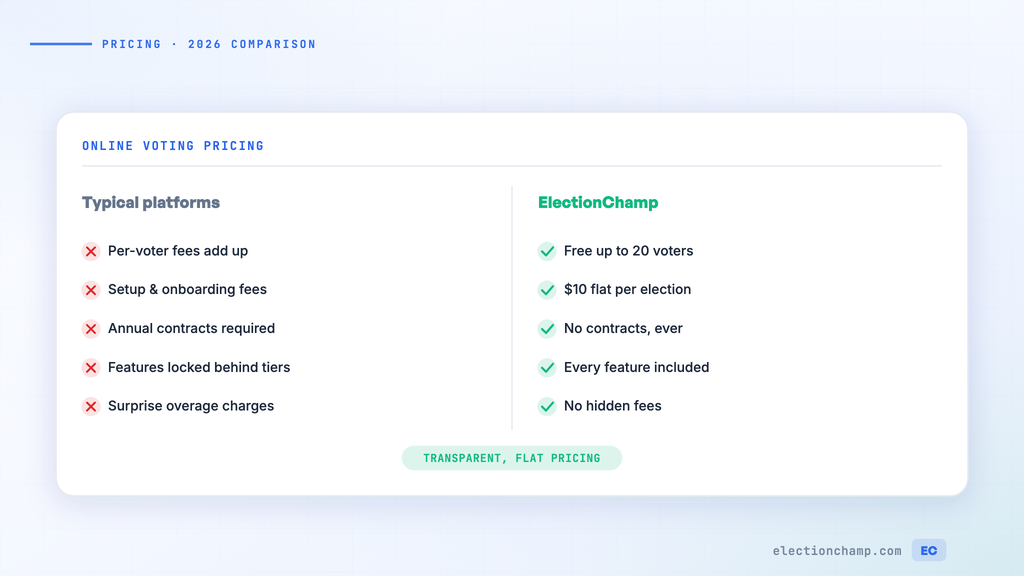
| Pricing model | Published price for your voter count; no features locked behind tiers | 2 | Free to 20 voters, $10 to 200, then $0.05 per voter; all features |
| Support | Help for admins and voters before and during voting | 2 | Free email support for admins and voters; managed elections quoted |
| Certifications | SOC 2 or ISO report, if your procurement requires one | 1 (3 if required) | None: no SOC 2 or ISO certification |
With default weights the maximum is 46 points. Use the total as a tiebreaker: a vendor scoring 0 on any must-have is out. Our online voting software comparisons apply the same side-by-side approach to specific vendors.
Election Software Requirements for Security, Anonymity, and Audit Trail
These three rows carry the most weight because they decide whether members trust the result.
Security and Voter Credentials
Ask how voters prove eligibility. The safest common pattern is a unique credential per voter that stops working once the ballot is in. A shared link that anyone can forward is fine for a poll and wrong for an election.
Ask which encryption standard protects data at rest and in transit. Some vendors add two-factor authentication on higher tiers, as ElectionBuddy does on its Premium plan (as of October 2026).
Ballot Anonymity
Secret ballots should be enforced by the system’s design. Ask the vendor directly whether any administrator can see how a specific person voted. The answer you want is no, with no setting that changes it.
Also ask what admins see while voting is open. In a small electorate, a live list of who just voted can reveal choices by timing. We hide the voting status of the 5 most recent voters during an active election for this reason. Our guide to how voter anonymity and ballot secrecy work covers the mechanics.
Audit Trail
If a result is challenged, the audit trail is your evidence. Look for a timestamped log of every admin action: dashboard views, voter list access, result views, and any early close. Check that the ballot and voter list lock at launch so nobody can edit them mid-vote.
Election Features to Test Before You Buy
Voting Methods
List each office and motion with the method your bylaws require, then confirm the vendor counts it that way. Ranked choice is the common trap: vendors use different counting rules under one name.
Instant-runoff eliminates the last-place candidate round by round. A Borda count awards points by rank and elects the highest total. ElectionChamp’s ranked choice uses a Borda Count variant, and for multi-seat proportional races you can collect ranked ballots and count them with our free STV Excel calculator. If your bylaws specify instant-runoff, OpaVote lists IRV, STV, and Condorcet methods.
Weighted Voting
HOAs, condos, co-ops, and some associations weight votes by unit, share, or class. Check that weighting is on your plan and accepts the numbers in your documents.
As of October 2026, ElectionBuddy includes weighted voting from its $29 Plus plan, and Simply Voting lists weighted votes as a premium feature at extra cost. We include weighting on every plan, with whole-number weights only. If your declaration assigns decimal percentages, ask each vendor how they handle them.
Hybrid and Paper Ballots
If some members will not vote online, you need paper or in-person votes counted with online ones, with no double voting. Printed single-use keys handed out at a meeting handle this inside one election. If you need ballots mailed to members, ElectionBuddy offers mailed and printed ballots on its Professional plan, which starts at $299.
Notifications and Reminders
Look for email and SMS, editable templates, and scheduled reminders. Check reminder limits on each plan, since several vendors tier them. Confirm the ballot and messages can be written in your members’ languages.
Mobile Access and Accessibility
During your trial, vote on a phone yourself: tap the link, enter the credential, submit. Rule out tools that make voters download an app or create an account.
For members with disabilities, ask each vendor for an accessibility conformance statement against WCAG 2.2, the current W3C accessibility standard.
Support
Ask who answers voter questions during the election, and through which channel. If you want a hands-off election, ask whether the vendor offers managed services.
Voting Software Comparison: Pricing Models and Real Costs
The pricing model matters as much as the headline number:
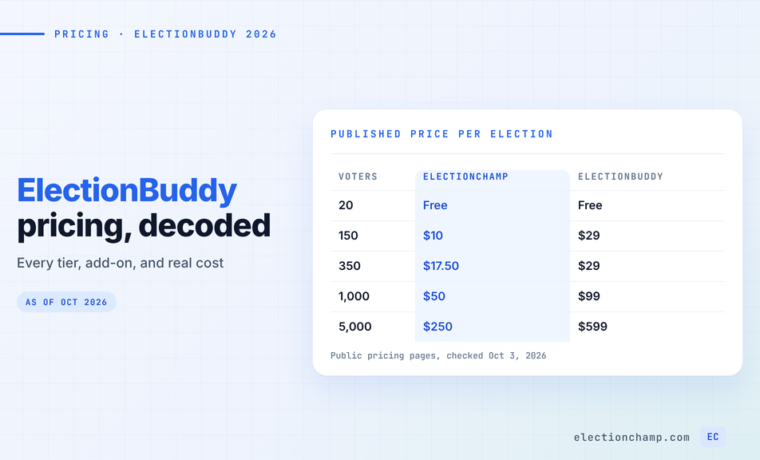
- Tiered per election: the price jumps at voter thresholds, as with ElectionBuddy.
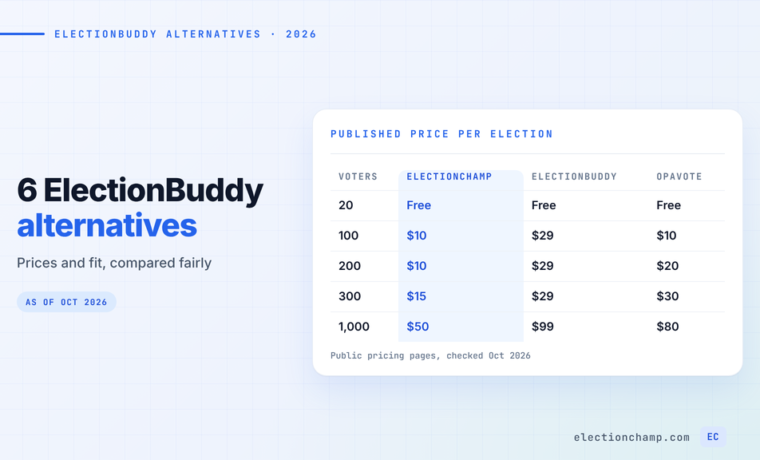
- Per voter or per block: the price rises in small steps. OpaVote charges $10 per 125 voters; we charge $0.05 per voter above 200.
- Subscription: a monthly or annual commitment. eBallot’s Essential Pro plan is $6.99 a month with a 6-month minimum, for up to 50 voters.
- Calculator or quote: you see a price only after entering details. Simply Voting uses an online calculator, and Vote HOA Now quotes on request.
One election on the three vendors with fully published per-election prices:
| Voters | ElectionChamp | ElectionBuddy | OpaVote |
|---|---|---|---|
| 150 | $10 | $29 (Plus) | $20 |
| 400 | $20 | $99 (Premium) | $40 |
| 1,000 | $50 | $99 (Premium) | $80 |
Prices from each vendor’s public pricing page as of October 2026. OpaVote prices assume 20 or fewer candidates.
Price your real voter list plus extra slots for latecomers, then check what is included: SMS, reminders, weighting, and data retention. OpaVote keeps data 3 months, then charges $40 a year. ElectionBuddy’s Professional tier includes an API and phone support, which we do not offer. Our 2026 online voting pricing guide covers more vendors.
Do You Need a SOC 2 Report?
SOC 2 is an audit report on a service provider’s controls, issued by an independent CPA firm under AICPA standards. It covers security and can also cover availability, processing integrity, confidentiality, and privacy. A Type 1 report assesses control design at a point in time; a Type 2 report tests whether the controls worked over a period.
You need one when your procurement or IT security policy requires it. That is common at large employers, universities, government bodies, and unions with formal vendor reviews. A vendor without a report will not pass that review.
ElectionChamp has no SOC 2 or ISO certification. We publish the controls we do have: AES-256 encryption at rest, SSL/TLS in transit, single-use voter keys, anonymous ballots, voter masking, and a full audit trail. Many HOAs, clubs, and small nonprofits have no policy requiring SOC 2 and can judge those controls directly.
If your procurement does require one, choose a vendor that holds it. Simply Voting’s security page states it is SOC 2 Type 1 compliant and offers a written uptime guarantee with service credits, as of October 2026.
How to Run a Voting Software Comparison in One Week
Start at least four weeks before election day to leave room for notice and voter list cleanup.
- Day 1: List your must-haves from the bylaws and set the weights in the scorecard.
- Day 2: Shortlist two or three vendors with published pricing for your voter count.
- Day 3: Build your real ballot, with actual offices and weights, in each vendor’s free tier or test mode.
- Day 4: Send test ballots to a few board members on different phones and note how long voting takes.
- Day 5: Close the test and check the results, the CSV export, and the audit log.
- Day 6: Send each vendor the same two support questions and compare the answers.
- Day 7: Score each vendor, confirm the total price with add-ons, and get board sign-off.
Setup and testing are free on our platform, and elections up to 20 voters cost nothing, so your board can run this test at no cost.
Frequently Asked Questions
What features should online voting software have?
At minimum, look for a single-use credential per voter, anonymous ballots, a timestamped audit trail, and the counting methods your bylaws require. Voters should get email or SMS invitations and vote in a phone browser without an app. Add weighted voting, paper ballots, or certifications if you need them.
Is online voting software secure enough for board elections?
It can be, if the platform encrypts data, issues one single-use credential per voter, separates ballots from identities, and logs every admin action. Ask each vendor to explain these controls in writing. Confirm with your bylaws and counsel that electronic voting is permitted.
Does online voting software need SOC 2 certification?
Only if your procurement or IT security policy requires it, which is common at large employers, universities, and government bodies. Many HOAs, clubs, and small nonprofits have no such requirement and can judge the vendor’s specific controls instead.
How much does online voting software cost?
As of October 2026, published prices for a 400-voter election range from $20 on ElectionChamp to $40 on OpaVote and $99 on ElectionBuddy’s Premium plan. Some vendors use subscriptions or quotes instead, so price your actual voter count and check which features cost extra.
Planning your next vote? Read about online voting software comparisons and the full feature list, or see pricing: free up to 20 voters, $10 up to 200, then $0.05 per voter.