ElectionChamp
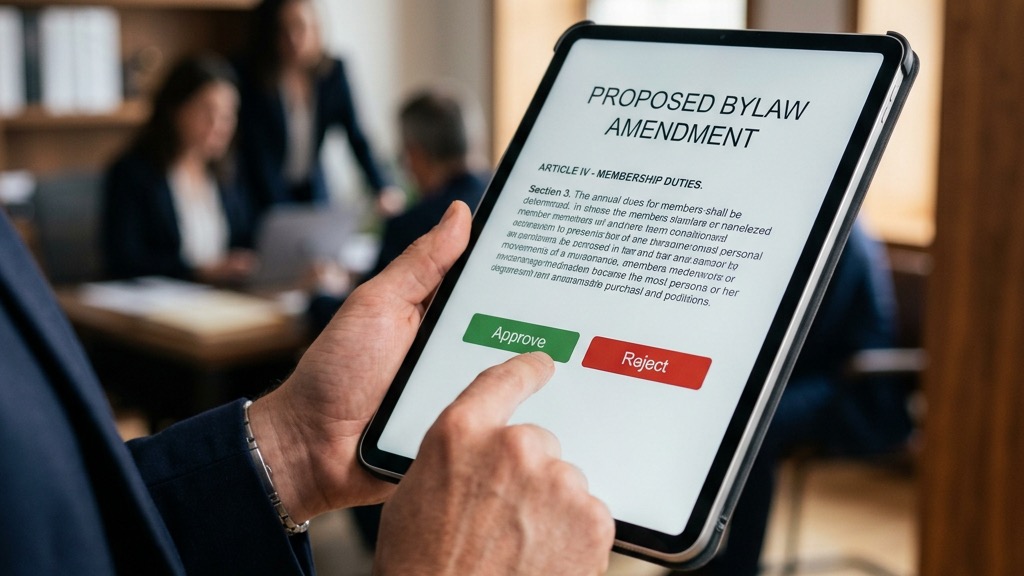
Most people think of HOA elections as board member votes. But some of the most consequential decisions a community makes involve bylaw amendments and special assessments, votes that directly change the rules of governance or require homeowners to pay significant additional money. These votes demand high participation, clear communication, and proper legal compliance.
This guide shows you how to set up and run amendment and assessment votes using online voting, with attention to the threshold requirements and communication strategies that make these votes successful.
Understanding Vote Thresholds
Unlike board elections where a simple majority of voters typically determines the winner, bylaw amendments and special assessments often require supermajority approval. Understanding these thresholds is essential:
Vote Type | Common Threshold | Calculated Against |
|
Board Election |
Simple majority (>50%) |
Votes cast |
|
Bylaw Amendment |
60–75% (varies by state/docs) |
Total ownership interest OR total eligible voters |
|
CC&R Amendment |
67–75% (varies) |
Total ownership interest |
|
Special Assessment |
Majority to supermajority |
Varies by state and amount |
|
Reserve Fund Waiver |
Majority of total interests |
Total ownership interest |
The critical distinction is what the percentage is calculated against. Board elections are typically calculated against votes actually cast. But amendments and assessments are often calculated against total membership or total ownership interest, which means that non-voters effectively count as No votes. This makes participation even more critical for amendment and assessment votes.
Setting Up a Bylaw Amendment Vote
Step 1: Draft Clear Ballot Language
The amendment question on your ballot should be specific and unambiguous. Voters need to understand exactly what they are approving:
- Bad: “Do you approve amendments to the bylaws?”
- Good: “Do you approve amending Article VII, Section 3 of the Bylaws to allow electronic voting for all association elections and member votes?”
If you are proposing multiple amendments, consider whether to bundle them into one question or separate them. Separate questions give homeowners more control but require each amendment to independently reach the approval threshold.
Step 2: Configure the Ballot on ElectionChamp
- Create a new election titled with the specific amendment (e.g., “Sunset Hills HOA Bylaw Amendment: Electronic Voting”)
- Add a Plurality ballot question with the amendment description as the question title
- Add two candidates/options: “Approve Amendment” and “Reject Amendment”
- Enable Allow Abstain if your documents count abstentions toward quorum
- Set Selection to Exactly 1 so each homeowner casts one clear vote
- Use the Voter Instructions field to summarize the amendment and reference the full document
Step 3: Distribute Supporting Documents
Before opening the vote, send all homeowners the complete proposed amendment language with a redline showing changes from the current bylaws, a plain-language summary explaining why the amendment is being proposed, and a FAQ addressing anticipated questions or concerns. This supporting documentation should go out at least two to three weeks before voting opens.
Setting Up a Special Assessment Vote
Special assessment votes have additional complexity because you are asking homeowners to approve additional financial obligations.
Communicate the Need Clearly
Homeowners are far more likely to approve a special assessment when they understand the specific need, the alternatives considered, the exact cost per unit, the payment timeline, and the consequences of not approving.
Ballot Configuration
For a special assessment vote, your ballot should include:
- A clear question title: “Special Assessment: Parking Garage Structural Repair”
- Options: “Approve Special Assessment” and “Reject Special Assessment”
- Voter instructions that include the total assessment amount, per-unit cost, payment timeline, and a brief description of the project
If your board is offering multiple payment options (lump sum versus installments), you may want to structure this as two questions: one for approval of the assessment and a separate question for the preferred payment plan.
Strategies for Reaching Supermajority Approval
Because amendment and assessment votes typically require supermajority approval of total membership, you need strategies that go beyond a simple election:
- Start communication early: Begin discussing the proposed change at board meetings and in newsletters months before the vote
- Host informational sessions: Give homeowners a forum to ask questions and voice concerns before they vote
- Extend the voting window: Give homeowners 14 to 21 days to vote rather than the shorter windows typical for board elections
- Send multiple reminders: A three to four reminder cadence is essential for high-threshold votes
- Make it personal: Have board members reach out directly to homeowners who have not voted
- Address opposition publicly: If there is organized opposition, address their concerns transparently rather than ignoring them
Handling Failed Votes
If a vote does not reach the required threshold, you have several options:
- Revise and re-vote: Address the concerns raised during the process, modify the proposal, and hold a new vote
- Extend the deadline: If you are close to the threshold, some governing documents allow the board to extend the voting period
- Seek legal guidance: An attorney can advise whether alternative approaches exist under your state law
Conclusion
Bylaw amendments and special assessments are among the most important votes your HOA will conduct. The higher approval thresholds make participation critical, and online voting is the most effective tool for maximizing engagement. By combining clear communication, thorough documentation, and an accessible voting process, you give your community the best chance of making informed decisions together.
Ready to Modernize Your Election?
ElectionChamp makes online voting simple, secure, and affordable. Free for up to 20 voters, just $10 for up to 200. All features included on every plan.
Start your free election today at electionchamp.com or email support@electionchamp.com for help with your HOA election.
Ready to modernize your organizational voting? Start for free at ElectionChamp.com — secure, anonymous, and mobile-friendly voting for every organization.