ElectionChamp
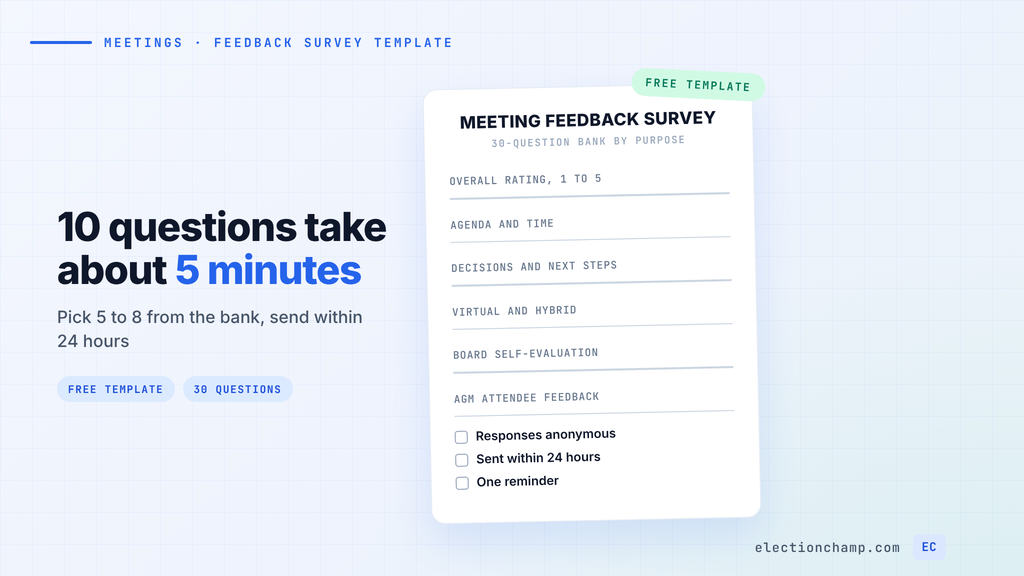
Short answer: Good post-meeting survey questions measure the meeting’s overall value, the agenda and time, how well discussion was run, and how clear the decisions and next steps are. Pick 5 to 8 questions, mostly 1 to 5 ratings and multiple choice, plus one open-text question. Send the survey within 24 hours, keep it anonymous, and close it within a week. The 30 questions below are grouped by purpose, including board and AGM sets.
Every question lists its type, so you can paste it into any survey tool.
30 Meeting Feedback Survey Questions by Purpose
Rating questions use a 1 to 5 scale where 1 is poor and 5 is excellent, unless the line says otherwise. Replace the bracketed text and delete the groups you do not need.
Download: Post-Meeting Survey Questions (Word .docx)
[Meeting Name] Feedback Survey
This survey has ________ questions and takes about ________ minutes. Responses are anonymous. Please reply by ________.
Rating scale: 1 = poor, 5 = excellent, unless noted.
A. Overall rating (every meeting)
1. Overall, how useful was this meeting? (Rating: 1 = not useful, 5 = very useful)
2. Was this meeting a good use of your time? (Multiple choice: Yes / Partly / No)
3. Could any part of this meeting have been handled by email or an online vote? (Multiple choice: No / Some items / The whole meeting)
4. What one change would make our next meeting better? (Open text)
B. Agenda and time
5. Did you get the agenda and materials early enough to prepare? (Multiple choice: Yes / Barely / No)
6. How well did we stick to the agenda? (Rating)
7. The length of the meeting was: (Multiple choice: Too short / About right / Too long)
8. Which agenda item needed more time? (Multiple choice: [list today’s items] / None)
C. Facilitation and participation
9. How well did the chair keep discussion on topic? (Rating)
10. Did you get a fair chance to speak on the items you cared about? (Multiple choice: Yes / Sometimes / No)
11. How much did a few people dominate the discussion? (Multiple choice: Not at all / Somewhat / A lot)
12. How comfortable did you feel disagreeing openly? (Rating: 1 = not at all, 5 = completely)
D. Decisions and next steps
13. How clear were the decisions we made? (Rating)
14. Do you know what you need to do next, and by when? (Multiple choice: Yes / Not sure / I have no action items)
15. Was each motion explained clearly before the vote? (Rating)
16. Did any decision feel rushed? If so, which one and why? (Open text)
E. Virtual and hybrid logistics
17. How did you attend? (Multiple choice: In person / Video / Phone)
18. How well could you hear and follow the discussion? (Rating)
19. Did remote attendees get the same chance to speak and vote? (Multiple choice: Yes / Partly / No / Not sure)
20. Did a technical problem keep you from taking part? (Multiple choice: No / Audio or video / Joining link / Voting tool / Other)
F. Board self-evaluation
21. Where did most of our time go? (Multiple choice: Strategy and oversight / A balance / Operational detail)
22. Did the board packet give you what you needed to decide? (Rating)
23. Were conflicts of interest disclosed and handled properly? (Multiple choice: Yes / No / None came up)
24. How well did you prepare for and contribute to this meeting? (Rating, self-assessment)
25. What issue should the board be discussing that it is not? (Open text)
G. AGM attendee feedback
26. How did you hear about this meeting? (Multiple choice: Email / Newsletter / Website / Social media / Word of mouth / Other)
27. How easy was it to vote, at the meeting or online? (Rating: 1 = very hard, 5 = very easy)
28. Did the annual reports give you a clear picture of the year? (Multiple choice: Yes / Partly / No)
29. How would you prefer to attend next year? (Multiple choice: In person / Online / No preference)
30. What should the board focus on in the coming year? (Open text)
Thank you. We will share a summary of the results and what we plan to change by ________.
Most questions are ratings or multiple choice, which are quick to answer and easy to compare across meetings. Only 4 are open text.
Which Questions to Use and When to Send Them
Pick 5 to 8 questions per meeting. Start with questions 1 and 4, then add the group that matches the meeting.
| Meeting | Questions to use | When to send |
|---|---|---|
| Staff or committee meeting | 1, 4, 6, 7, 14 | Same day; close after 3 days |
| Board meeting | 1, 4, 13, 15, 22, 24 | Within 24 hours; close after 7 days |
| Virtual or hybrid meeting | Add 18, 19, and 20 to any set | Same day, while tech problems are fresh |
| AGM or members’ meeting | 1 and 26 to 30 | Before people leave, plus an email the same day |
| Recurring weekly meeting | 1, 2, 4 | Once a month, covering the last 4 meetings |
Keep the wording identical every time you reuse a question, so a change in scores reflects the meeting itself.
Board Meeting Evaluation Questions
Group F turns a routine survey into a short board self-evaluation. Run it after every board meeting for one quarter to set a baseline, then twice a year.
Keep doing a full board self-assessment too. BoardSource recommends one about every two years, as the National Council of Nonprofits notes. BoardSource adds that most boards keep responses anonymous.
- Pair self-ratings with group ratings. Question 24 asks each director about their own preparation. Compare it with question 22 to see whether the packet or the reading is the problem.
- Have someone other than the chair compile results. Question 9 rates the chair, so the secretary or governance committee should summarize.
- Review results at the next meeting. Agree on one change and record it in the minutes.
On ElectionChamp, a board of up to 20 can run this survey free.
AGM Feedback Survey Questions
Group G asks members how they heard about the meeting, how easy voting was, and how they want to attend next year. Those answers show which notice channel and format to plan for when you chase quorum next year.
Collect responses before people leave. Post the link in the video chat for online attendees and hand in-person members a printed code at the door. ElectionChamp’s printed voter keys can be scanned with a phone camera, so members answer on their own phone. If members also vote at the meeting, our guide to adding online voting to your AGM covers the ballot side.
How to Keep Meeting Feedback Anonymous
- Say who sees what. Put it in the invite: “Responses are anonymous. The secretary sees totals and comments, never names.”
- Drop identifying questions in small groups. On a board of 7, question 17 or a question about role can single out one person.
- Hide results until the survey closes. If totals update live, anyone watching can match a new answer to the person who just submitted.
- Warn that open text can identify people. Ask respondents to leave out names.
- Allow one response per person. Single-use access codes stop duplicate answers without tying answers to names.
We built these protections into ElectionChamp’s surveys and polls. Administrators see who responded, never what they answered. Each voter key works once, and every question can carry its own anonymous comments box for open-text answers. You can show results to no one until close, voting status for the 5 most recent voters stays masked, and instant results arrive when the survey closes. Our guide to surveys, polls, and feedback walks through setup.
How to Get More People to Answer
- Keep it short. SurveyMonkey’s analysis of 100,000 surveys found drop-off rises most sharply with each added question up to 15. Its completion time data puts a 10-question survey at about 5 minutes, with the first question taking about 75 seconds.
- State the length up front. Try a subject line such as “Meeting feedback: 5 questions, about 4 minutes.”
- Ask in the room. Reserve the last 3 minutes of the agenda for the survey.
- Send one reminder. Send it two or three days after the invite.
- Show what changed. Open the next meeting with the scores and one change you made, so people see the survey gets read.
Frequently Asked Questions
What questions should you ask after a meeting?
Ask how useful the meeting was, whether the agenda and length worked, whether everyone could take part, and whether decisions and next steps are clear. Add one open-text question asking what to change next time.
How many questions should a post meeting survey have?
Five to 8. SurveyMonkey found drop-off rises most sharply with each question up to 15, and a 10-question survey takes about 5 minutes to complete.
When should you send a post-meeting survey?
Within 24 hours, while details are fresh. For an AGM, collect answers before members leave and email the link the same day. Close the survey after 3 to 7 days.
Should meeting feedback surveys be anonymous?
Usually, so people can criticize the meeting or the chair without worry. In small groups, drop questions about role or attendance method, and hide results until the survey closes.
Planning your next vote? Read about surveys and polls and instant results, or see pricing: free up to 20 voters, $10 up to 200, then $0.05 per voter.