ElectionChamp
The Participation Problem
Most nonprofit elections suffer from painfully low turnout. Industry surveys consistently show that fewer than 20% of eligible members participate in typical nonprofit board elections. Some organizations struggle to clear 10%. This isn’t just inconvenient — it undermines the legitimacy of leadership selection and weakens organizational governance.
The good news? Low turnout isn’t caused by member apathy. It’s caused by friction. Members care about their organizations, but life is busy, paper ballots get lost, meeting attendance is difficult, and many members simply don’t know an election is happening until it’s already over.
Removing friction is the single most effective strategy for improving participation. Here’s how.
Strategy 1: Make Voting Effortless
The biggest participation gains come from reducing the effort required to vote. Online voting eliminates the most common barriers:
- No need to attend a meeting at a specific time and place
- No paper ballot to fill out, fold, stamp, and mail back
- No app to download — voters click a link and vote in their browser
- Mobile-friendly design means members vote from their phone in under 2 minutes
- Extended voting windows (7-14 days) accommodate busy schedules
Organizations that switch from in-person or paper voting to online consistently see 40-60% increases in participation. The single act of making voting accessible from a phone is often enough to transform turnout.
Strategy 2: Communicate Early, Often, and Clearly
A single email announcement isn’t enough. Members need multiple touchpoints:
Subject Line Best Practices
Your subject line determines whether the email gets opened. For election notifications:
- Be specific: “Vote Now: 2026 Board Election — Closes Friday” beats “Election Reminder”
- Create urgency: “48 Hours Left to Vote” drives action better than “Please Vote When Convenient”
- Personalize when possible: “[Name], Your Ballot Is Ready” outperforms generic subject lines
- Keep it short: 40-50 characters works best on mobile screens
Strategy 3: Educate Members on Candidates
Members are more likely to vote when they feel informed enough to make a good choice. Make candidate information easily accessible:
- Attach candidate photos and biographies directly to the ballot — ElectionChamp lets voters click “View Information” on each candidate
- Host a virtual town hall or Q&A session where candidates can introduce themselves
- Send a candidate comparison guide via email before voting opens
- Post candidate statements on your website and social media channels
- If your organization has a newsletter, dedicate an issue to the election and candidates
Strategy 4: Leverage Annual Meetings
If your nonprofit holds an annual general meeting, use it as an election launchpad:
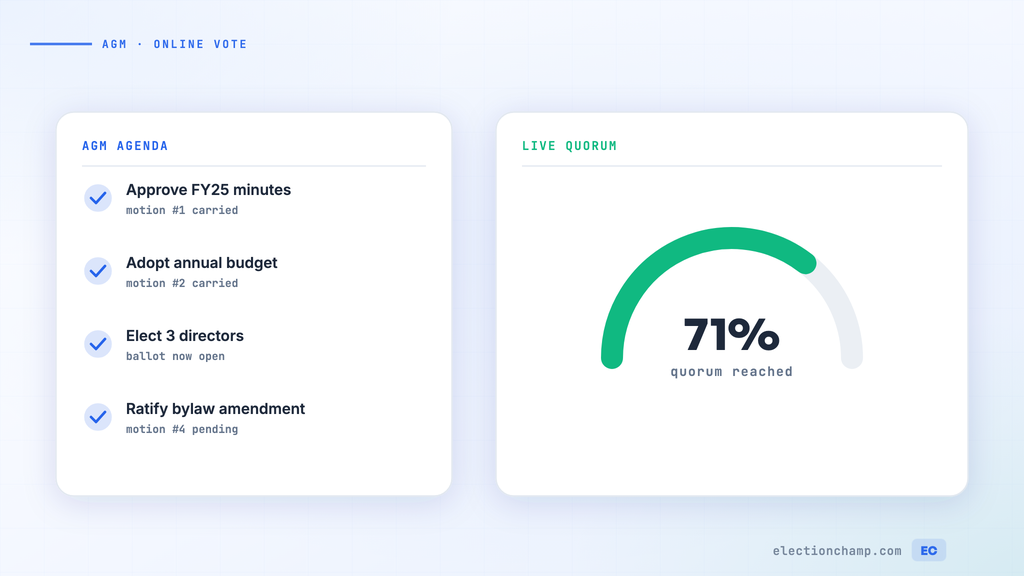
- Open online voting during the meeting so attendees can vote on the spot from their phones
- Demonstrate the voting process live — show how easy it is to click and vote
- Extend the voting window beyond the meeting for members who couldn’t attend
- Present the live participation dashboard during the meeting to create social momentum
This hybrid approach captures both in-meeting and remote voters, maximizing participation.
Strategy 5: Use Social Media and Peer Influence
Social proof drives action. When members see their peers participating, they’re more likely to vote:
- Share participation milestones: “We’ve reached 50% turnout — help us hit 75%!”
- Encourage board members and leaders to publicly announce they’ve voted
- Create a simple graphic members can share: “I voted in the [Org Name] election”
- Post updates on your organization’s social channels throughout the voting period
- Tag or mention the election in community groups where your members are active
Strategy 6: Remove Technology Barriers
Some members, particularly older demographics, may be hesitant about online voting. Address this proactively:
- Send clear, visual instructions — “Click the link > Enter your code > Select your candidates > Click Submit”
- Emphasize that no app download is needed and the ballot works on any device
- Offer phone or email support for members who need help — ElectionChamp provides free support to voters
- For members without email, use printed keys — printed voter codes they can enter at the voting page
- Consider an SMS option for members more comfortable with text messages than email
Measuring and Improving Over Time
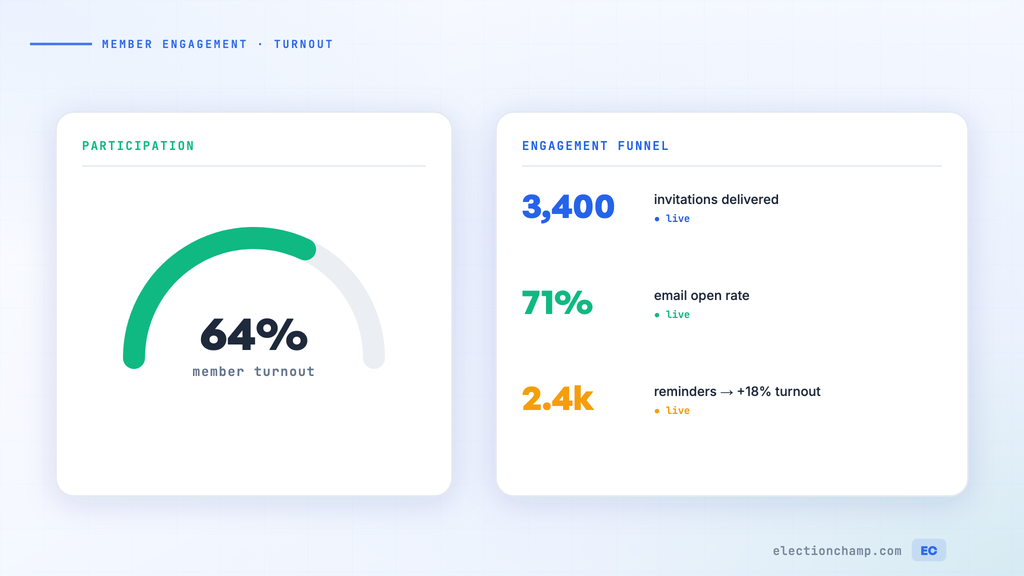
Track these metrics each election cycle to measure progress:
ElectionChamp’s dashboard shows real-time participation data, including cumulative vote trends by hour, so you can see exactly when engagement spikes and adjust your reminder strategy accordingly.
Planning your next vote? Read about nonprofit board voting and board elections, or see pricing: free up to 20 voters, $10 up to 200, then $0.05 per voter.