ElectionChamp
Why Nonprofit Board Elections Deserve Better
Board elections are the foundation of nonprofit governance. They determine who steers the organization, manages donor funds, sets strategic direction, and maintains public trust. Yet many nonprofits still rely on show-of-hands votes at sparsely attended meetings, paper ballots collected through unreliable mail, or informal processes that leave no paper trail.
This approach creates real problems. Low participation means a small fraction of members choose leadership for the entire organization. Lack of documentation invites disputes and erodes donor confidence. Manual processes consume volunteer hours that could be spent on the mission. And when governance looks opaque, funders notice.
Online voting solves these problems by making elections accessible, transparent, and professionally documented. This guide covers everything nonprofit leaders need to know about running board elections that meet governance standards and build member trust.
Nonprofit Governance Requirements: What the Law Expects
Before setting up your election, understand the legal framework governing your organization:
Federal Requirements
- 501(c)(3) and 501(c)(6) organizations: The IRS expects nonprofits to follow their own bylaws regarding board selection. Failing to do so can jeopardize tax-exempt status during an audit.
- Form 990 disclosure: Your annual Form 990 asks about governance practices, including how board members are selected. Transparent, documented elections strengthen your filing.
- Sarbanes-Oxley applicability: While primarily for public companies, two provisions apply to all nonprofits — whistleblower protections and document retention. Election records fall under document retention policies.
State Requirements
Every state has its own nonprofit corporation act that governs board elections. Common requirements include:
- Proper notice to all voting members before the election
- Quorum requirements for valid elections (often 10-25% of membership)
- Secret ballot provisions for contested elections
- Record retention for election results and meeting minutes
- Member right to inspect organizational records, including election outcomes
Bylaw Compliance
Your organization’s bylaws are your primary governing document for elections. Review them carefully for:
- Who is eligible to vote (all members, specific classes, delegates)
- Nomination procedures (committee, petition, floor nominations)
- Voting method requirements (if specified)
- Term lengths and stagger provisions
- Whether electronic or online voting is permitted (amend if needed)
Building a Fair Nomination Process
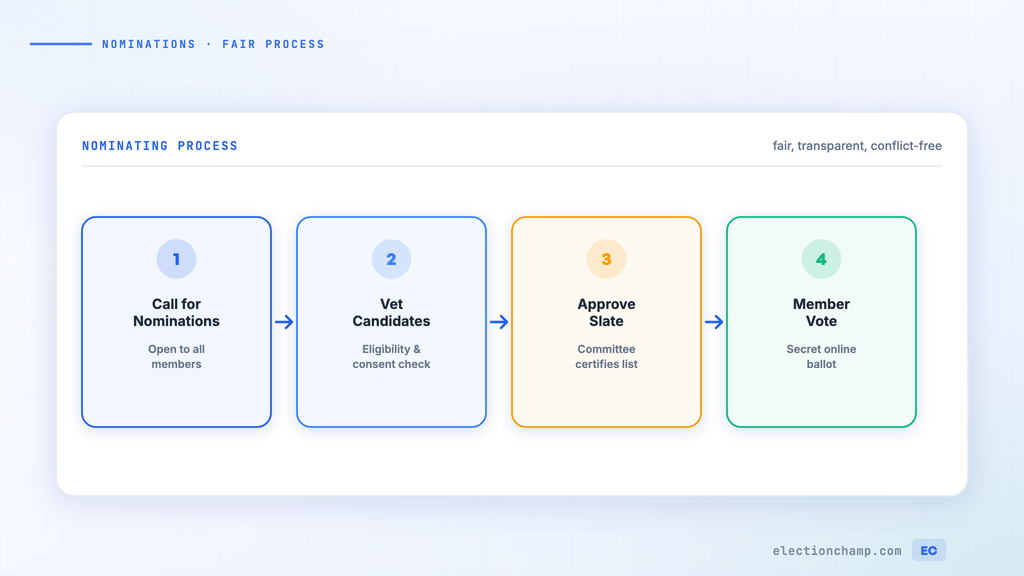
A transparent election starts well before the ballot. The nomination process determines who appears on the ballot and signals to members that the organization values open participation.
Nominating Committee Best Practices
- Form the committee early — at least 90 days before the election to allow adequate time for candidate recruitment.
- Include diverse representation — committee members should reflect the organization’s demographics, expertise areas, and geographic spread.
- Publish clear criteria — post the qualifications, time commitment, and expectations for board service prominently on your website and in communications.
- Actively recruit — don’t just wait for volunteers. Identify promising members and invite them to consider running.
- Allow self-nominations — members should be able to put themselves forward, not just wait to be asked.
- Document everything — keep records of outreach efforts, candidate communications, and committee decisions.
Candidate Statements
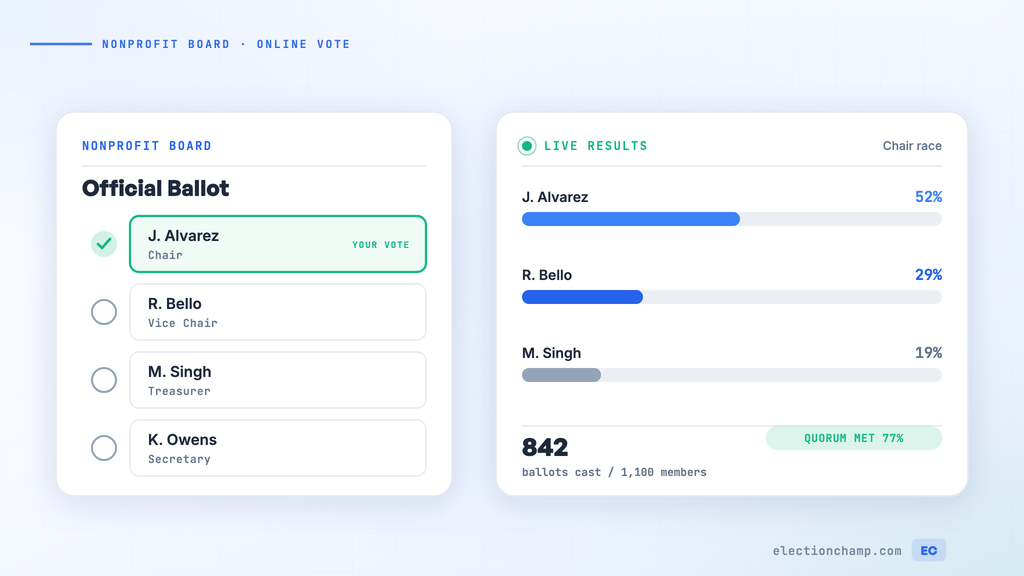
Give every candidate an equal platform. ElectionChamp allows you to attach photos, biographies, and vision statements directly to the ballot. Voters can click “View Information” to review each candidate before making their selection.
Provide candidates with a template and word limit (300-500 words works well) to ensure consistency. Include prompts such as:
- Professional background and relevant experience
- Current involvement with the organization
- What they hope to accomplish on the board
- Any specific skills they bring (finance, legal, fundraising, program expertise)
Setting Up Your Nonprofit Board Election Online
ElectionChamp’s five setup steps make configuration straightforward:
Step 1: Start
Name your election clearly (e.g., “2026 Board of Directors Election”) and enter your organization (e.g., “River Valley Conservation Society”). Set when voting opens and closes. For nonprofit board elections, 7 to 14 days is typical, giving dispersed members adequate time to vote. The settings below are on the same page.
Settings (Also on the Start Page)
For nonprofit board elections, we recommend:
- Who can see results while voting is open: “No one”, the default, so results can’t influence later voters
- Voter Labels: Enable with member name or ID for easy list management
- How voters get their key: “Email” is most common. Add “Hand out keys” for members without email.
Step 2: Ballot
Most nonprofit board elections use Plurality voting — members vote for their preferred candidates, and those with the most votes win. Configure:
- Total Winners: Match the number of open board seats (e.g., 4 seats = 4 winners)
- Selection: “Up to” the number of seats — allows members to vote for fewer if they prefer
- Random Order: Enable to eliminate positional bias
- Allow Abstain: Enable for members who want to participate but not vote on this question
Step 3: Voters
Paste your membership list from Excel or Google Sheets, or upload it as a CSV file. Only voting-eligible members should be included. If your bylaws restrict voting to members in good standing, filter the list accordingly before import. Set 5 to 10 spare keys for members who may need to be added after launch.
Step 4: Invitations
The invitation is written for you. Add the context members need: what positions are open, when voting closes, and how to review candidate information. Labels such as [Election name] and [Deadline] fill in for each member, and “Email me a test” shows you the result in your own inbox.
Step 5: Launch
Check the summary of your election and use “Try the ballot first” to verify everything looks correct: candidate information, voting rules and the voting window. Then press “Launch election”. Voting opens at your scheduled time, and invitations go out then.
Ensuring Transparency and Accountability
Transparency is what separates a credible election from an exercise in rubber-stamping. Here’s how to build it into every stage:
Before the Election
- Announce the election timeline publicly — website, newsletter, social media
- Publish the candidate slate with equal presentation for all candidates
- Share the voting rules and eligibility criteria openly
- Provide a way for members to verify their eligibility
During the Election
- Send reminders at regular intervals without favoring any candidate
- Ensure anonymous voting — ElectionChamp ballots are completely decoupled from voter identity
- Monitor participation rates and send targeted reminders to non-voters
After the Election
- Publish results promptly and completely
- Share participation statistics (turnout rate, total votes cast)
- Retain the full audit trail — ElectionChamp logs every administrative action with timestamps
- Download and archive the CSV results report as part of your official records
- Email results to all voters using the one-click results distribution feature
Handling Multi-Seat Elections
Most nonprofit boards have multiple seats open simultaneously. ElectionChamp handles this with the “Total Winners” setting:
- Set Total Winners to the number of open seats (e.g., 5 seats = 5 winners)
- Set Selection to “Up to 5” so voters can choose their top candidates
- Enable Random Order to ensure fair ballot positioning
- The system automatically identifies the top vote-getters as winners
If your bylaws require staggered terms (some seats for 2 years, some for 3), create separate ballot questions for each term length, or note in the election announcement that winners will be assigned terms based on vote ranking.
Meeting Quorum Requirements
Many nonprofits struggle with quorum — the minimum number of members who must participate for the election to be valid. Online voting dramatically improves quorum achievement because:
- Members can vote from anywhere at any time during the voting window
- SMS and email reminders keep the election top-of-mind
- Mobile-friendly voting means members can participate in under 2 minutes
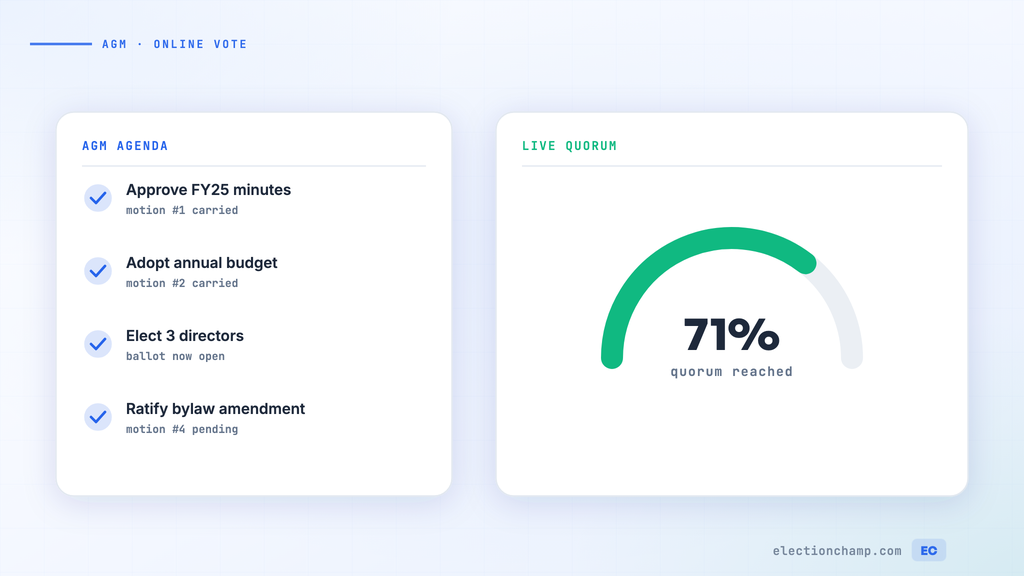
- The dashboard shows real-time participation, so you know exactly how close you are to quorum
Organizations that switch from paper to online voting typically see participation increases of 40-60%, often solving chronic quorum issues in their very first online election.
Post-Election: Documentation and Transitions
After the election closes:
- Download the CSV results report from the Results tab
- Send results to all voters using the one-click email feature
- Download the audit trail from the Audit tab
- Include election results in your next board meeting minutes
- File results with your corporate records as required by your state
- Welcome new board members and schedule orientation
- Update your website and public filings with new board composition
Planning your next vote? Read about nonprofit board voting and board elections, or see pricing: free up to 20 voters, $10 up to 200, then $0.05 per voter.