ElectionChamp
When Leadership Must Be Challenged
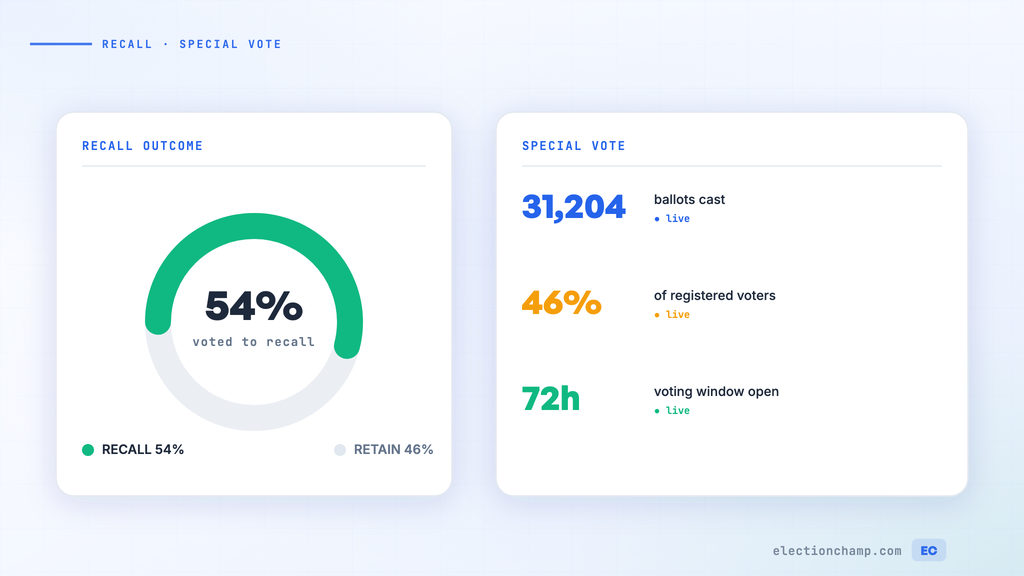
Recall elections are among the most consequential — and contentious — votes an organization can conduct. They exist as a democratic safeguard: when an elected leader loses the confidence of those they represent, members should have a mechanism to remove that leader before their term expires. But recalls are also disruptive, emotional, and procedurally complex.
Online voting brings three critical advantages to recall elections: speed (the process can move quickly when urgency requires it), documentation (every step is recorded in an audit trail), and fairness (anonymous voting protects members from intimidation by either side).
Recall Elections by Organization Type
|
Organization |
Typical Trigger |
Common Threshold to Initiate |
Vote Required to Remove |
|
HOA |
Board member misconduct, fiduciary breach, failure to act |
Petition by 10-25% of homeowners (per bylaws/state law) |
Majority or supermajority of votes cast |
|
Nonprofit |
Breach of duty, conflict of interest, inaction |
Board vote or member petition (per bylaws) |
Two-thirds of votes cast (typical) |
|
Union |
Misuse of funds, failure to represent, policy disagreement |
Petition per union constitution (often 10-30%) |
Majority of votes cast |
|
Cooperative |
Governance failures, financial mismanagement |
Petition per bylaws |
Per bylaws (majority to supermajority) |
|
Professional association |
Violation of ethics, failure to fulfill duties |
Board action or member petition |
Per bylaws |
Phase 1: Petition and Initiation
- Review your bylaws: Determine the exact process for initiating a recall — petition threshold, notice requirements, who oversees the process.
- Collect signatures or petitions: If a member petition is required, collect the required number of signatures from eligible members.
- Verify the petition: Confirm that signatories are eligible voting members and that the threshold has been met.
- Provide notice: Notify the subject of the recall and all members per bylaw requirements. Include the specific grounds for recall.
Phase 2: Setting Up the Recall Vote
- Create the election in ElectionChamp: Name it clearly — “Recall Vote: [Position/Name]”
- Write a neutral ballot question: “Shall [Name], [Position], be recalled from office? Yes / No”
- Include context in Voter Instructions: The petition grounds, any response from the subject, and relevant bylaw provisions.
- Enable Allow Abstain: Members may want to participate without taking a side.
- Set Result Visibility to “After Election Ends”: Prevents real-time results from influencing voters.
- Set an appropriate voting window: 7-14 days. Long enough for informed participation, short enough to resolve the uncertainty.
Phase 3: Communication
- Both sides should have an opportunity to communicate their position to the membership
- The recall organizers explain why they believe removal is necessary
- The subject of the recall has the right to respond and defend their record
- The organization should facilitate this communication neutrally — perhaps through a dedicated section of the website or a moderated forum
Phase 4: The Vote and Aftermath
- Launch the election and send notifications to all eligible voters via email and SMS
- Monitor participation closely — recall votes often generate higher turnout than regular elections
- After the vote closes, download results and calculate whether the removal threshold was met
If the Recall Succeeds
- The recalled officer is immediately removed from their position (or per the timeline specified in your bylaws)
- Succession provisions kick in: the vice-president may assume the role, or a special election may be required
- If a special election is needed, set it up promptly — you can create a new ElectionChamp election within the same day
- Document everything: the petition, the notice, the vote results, and the succession — this is your compliance record
If the Recall Fails
- The officer remains in their position with a renewed mandate from the membership
- Communicate the result to all members with full transparency
- Some bylaws include a cooling-off period preventing another recall attempt for a specified time
- Use the experience as an opportunity to address underlying governance issues that led to the recall attempt
Special Elections
Special elections — called outside the regular election cycle — may be needed when:
- A recall succeeds and the vacated position requires an election (not just succession)
- An officer resigns mid-term
- A position was left unfilled after the regular election
- An emergency policy decision requires a membership vote
ElectionChamp’s quick setup (30-60 minutes) makes special elections practical even on short notice. The same security features, anonymous voting, and audit trails apply.
Legal Considerations
|
Consideration |
Details |
|
Bylaw compliance |
Follow your recall procedures exactly — any deviation can invalidate the vote |
|
Due process |
The subject of the recall must be notified and given an opportunity to respond |
|
State law |
Some states have specific requirements for recall votes in certain organizations (particularly HOAs) |
|
Documentation |
Maintain complete records — petition, notice, ballot, results, and succession actions |
|
Neutrality |
The organization’s staff and election administrators should remain neutral throughout the process |
Ready to modernize your organizational voting? Start for free at ElectionChamp.com — secure, anonymous, and mobile-friendly voting for every organization.