ElectionChamp
When Speed and Security Both Matter
Strike authorization votes are unlike any other union election. They’re conducted under pressure, often with tight timelines, heightened emotions, and intense scrutiny from both the membership and the employer. The outcome carries enormous consequences — it authorizes union leadership to call a work stoppage that affects every member’s livelihood.
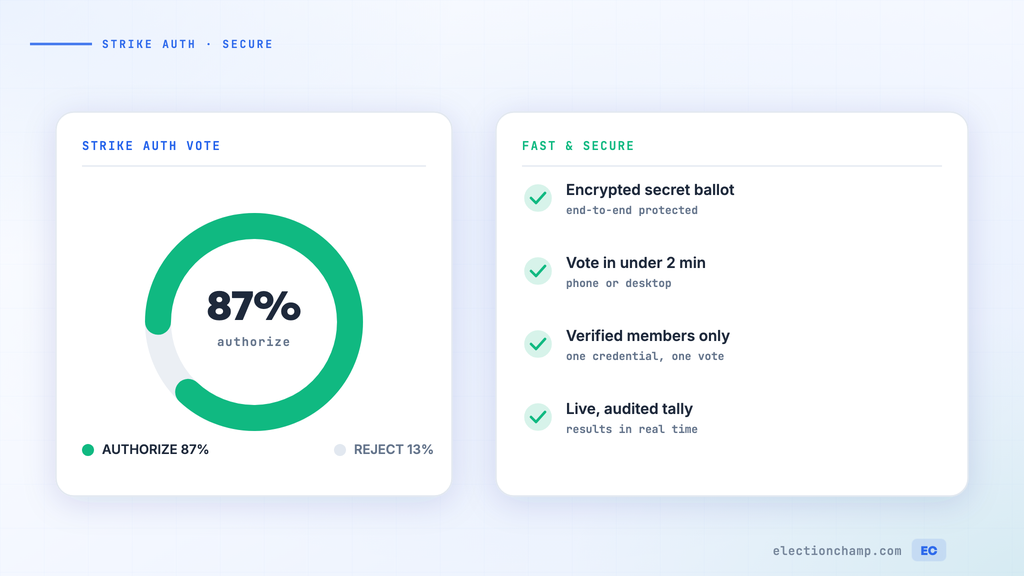
For these reasons, strike votes demand both speed (because bargaining dynamics won’t wait) and security (because the result must be unimpeachable). Online voting delivers on both fronts.
What a Strike Vote Authorizes
A strike authorization vote gives the union’s leadership the authority to call a strike — it doesn’t automatically trigger one. The vote is a bargaining tool: it demonstrates to the employer that the membership stands behind its negotiators. Many strike authorization votes result in improved offers without a work stoppage ever occurring.
Legal Framework
- The National Labor Relations Act (NLRA) protects the right to strike but doesn’t prescribe a specific voting procedure
- Most union constitutions require a membership vote before a strike can be called
- Some constitutions specify a minimum participation rate or approval threshold (often two-thirds)
- Public sector unions may have different strike rules depending on state law — some states prohibit public employee strikes entirely
- Railway and airline workers fall under the Railway Labor Act, which has its own procedures
Rapid Deployment: Setting Up a Strike Vote in Under an Hour
ElectionChamp allows you to set up and launch a strike authorization vote in less than 60 minutes:
- Start (5 minutes): Name it clearly, for example “IBEW Local 567 Strike Authorization Vote, March 2026.” Set voting to close 48 to 72 hours after it opens. On the same page, keep “No one” for who can see results while voting is open, choose Email and Text message for the keys, and keep the Voter label column on.
- Ballot (5 minutes): One Yes/No question using Plurality voting, with a short title such as “Strike Authorization” and the full question in the Voter instructions: “Do you authorize the Executive Board to call a work stoppage if a satisfactory agreement is not reached with [Employer]?”
- Voters (10 minutes): Paste or upload your membership roster, with both email and phone columns for maximum reach.
- Invitations (5 minutes): The email and text message are written for you. Add a clear, factual line explaining the vote, and keep the voting deadline prominent.
- Launch (5 minutes): Check the summary, use “Try the ballot first”, and press “Launch election”. If you pressed “Now” for the opening time, voting opens and invitations go out right after launch.
Total setup time: approximately 30 minutes. Members can begin voting within minutes of launch.
Maximizing Participation in a Short Window
Strike votes typically have 48-72 hour windows. Maximizing participation in this compressed timeframe requires aggressive communication:
Hour 0: Launch
- Send email + SMS notifications simultaneously through ElectionChamp
- Alert all stewards immediately — they should spread the word on every shift
- Post on the union’s social media channels
Hour 12: First Reminder
- Send an SMS reminder to non-voters: “Strike authorization vote is open. Vote now.”
- Stewards check in with their units
Hour 24: Midpoint
- Share the participation rate: “52% of members have voted. Make your voice count.”
- Post an update on social media
- Have stewards do another round of reminders at shift changes
Final 12 Hours
- Send final SMS and email: “Voting closes in 12 hours. This is your last chance.”
- Stewards make final push at all worksites
Security Considerations for Strike Votes
Strike votes attract more scrutiny than routine elections. Ensure your process is bulletproof:
|
Security Concern |
How ElectionChamp Addresses It |
|
Employer interference |
Only union members with unique voter keys can access the ballot. There is no public ballot link. |
|
Coercion |
Anonymous voting — no one (including union leadership) can see how any member voted |
|
Double voting |
Single-use voter keys deactivate after submission |
|
Result manipulation |
Results are calculated automatically; full audit trail logs every action |
|
Unauthorized access |
16-character unique keys generated per member; AES-256 encryption |
Communicating the Results
- Download results immediately after the vote closes
- Share the total Yes votes, No votes, abstentions, and participation rate with all members
- If authorized: “Members voted [X%] in favor of strike authorization. The Executive Board now has the authority to call a work stoppage if negotiations do not produce a satisfactory result.”
- If not authorized: “Members voted [X%] against strike authorization. The bargaining committee will continue negotiations.”
- Communicate to the employer (through appropriate channels): The result is a bargaining signal.
After the Vote
- Archive all election records: results CSV, audit trail, voter participation data
- A strike authorization typically remains valid for a defined period (per your constitution) — document the expiration date
- If negotiations continue, keep members informed about progress
- If a new tentative agreement is reached, proceed to a ratification vote (see our Contract Ratification Voting guide)
Multi-Employer Strike Votes
- If members at different employers are voting on the same authorization, create one election covering all members
- Use Voter Labels to identify members by employer for internal analysis
Rolling Strike Authorization
- Some unions authorize strikes at individual worksites or against individual employers within a larger bargaining unit
- Create separate elections for each worksite or employer as needed
Public Sector Considerations
- Verify that your state permits strike authorization votes for public employees
- Some states require additional steps (cooling-off periods, mediation) before a strike vote is valid
- Document compliance with all applicable state requirements
Planning your next vote? Read about union voting software and contract ratification votes, or see pricing: free up to 20 voters, $10 up to 200, then $0.05 per voter.