ElectionChamp
Student Elections: Where Civic Education Begins
Student council elections are many young people’s first experience with democratic participation. The way schools run these elections shapes students’ attitudes toward voting, leadership, and community engagement for years to come. Moving student elections online modernizes the experience while creating powerful learning opportunities.
Online voting also solves practical problems: no more lost paper ballots, no more counting errors, no more students missing the vote because they were absent on election day, and no more disputes about whether the count was accurate.
Benefits of Online Student Elections
|
Traditional Paper Election |
Online Election with ElectionChamp |
|
Paper ballots printed, distributed, collected, counted manually |
Students vote from school devices in minutes |
|
Students absent on election day can’t vote |
Voting window spans multiple days — every student participates |
|
Counting takes hours and may have errors |
Results calculated instantly, accurately, automatically |
|
Difficult to include candidate info on paper ballots |
Candidate photos and statements visible on the ballot |
|
Results announced days later |
Results available immediately for assembly reveals |
|
No documentation or audit trail |
Complete records for student government archives |
|
Same process whether 100 or 1,000 students vote |
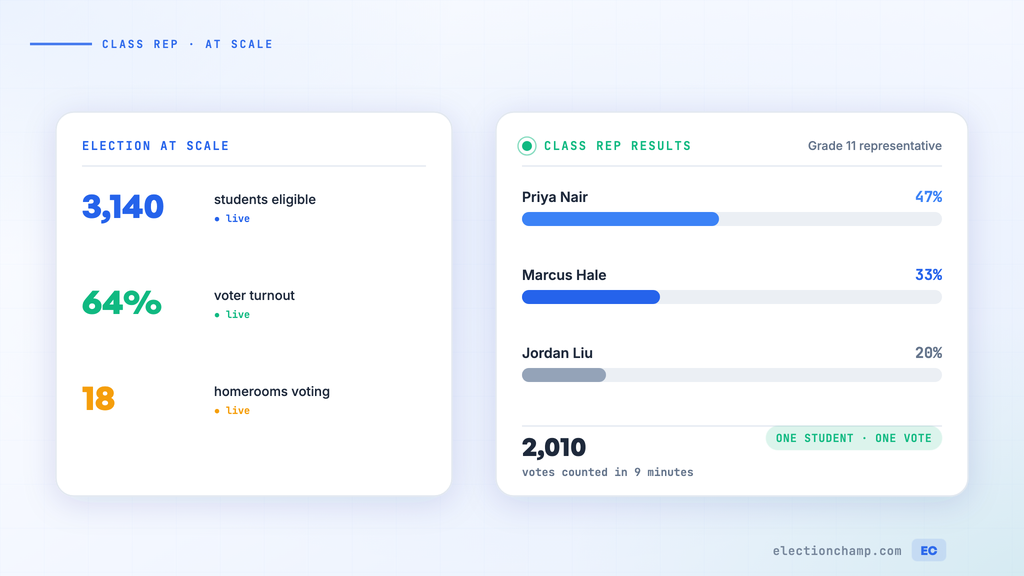
Scales effortlessly to any school size |
Setting Up a Student Council Election
- Create the election: Name it clearly — “Lincoln Middle School Student Council Election 2026-2027”. Set the voting window for 2-3 school days.
- Build the ballot: Create a separate question for each position (President, VP, Secretary, Treasurer, class representatives). Use Plurality voting with Total Winners = 1 and Selection = Exactly 1.
- Add candidate profiles: Upload each candidate’s photo and a brief statement (50-100 words). Students love seeing their peers’ photos and reading their campaign promises on the official ballot.
- Enable Random Order: This prevents the first-listed candidate from getting extra votes due to position bias — an important fairness measure.
- Enable Allow Abstain: Some students may not know the candidates for every position, and forcing a choice leads to random selections.
- Leave “Who can see results while voting is open?” on “No one”: Keep results secret until the big announcement.
- Create the voter list: Use student email addresses (school-provided emails work perfectly) or generate printed keys for schools without student email.
- Choose notification method: Email for schools with student accounts, or printed keys distributed by teachers.
Elementary School (Grades K-5)
- Use printed keys distributed by teachers — young students don’t have email accounts
- Teachers can project the ballot on the classroom smartboard and walk students through the process
- Keep the ballot simple: one position (President or class representative), clear photos, short names
- Consider having each classroom vote together as a guided activity
Middle School (Grades 6-8)
- Students can vote independently using school-issued devices (Chromebooks, iPads)
- Email notification works if students have school email accounts
- Include candidate statements — this age group can engage with campaign platforms
- Allow voting during homeroom, advisory, or a designated period
High School (Grades 9-12)
- Students vote independently on their own devices or school computers
- Email or SMS notification — many high schoolers have phones
- Full candidate profiles with photos, bios, and platform statements
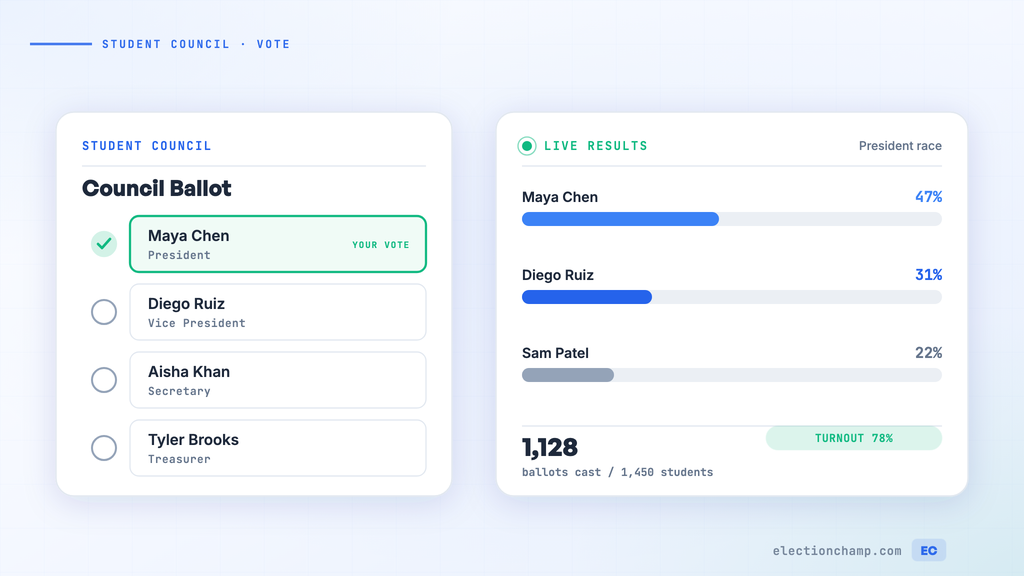
- Multiple positions on one ballot: Student Body President, VP, Secretary, Treasurer, Class Representatives
- Consider Ranked Choice voting for positions with many candidates — it’s a great learning opportunity
Campaign Period Management
Online voting makes campaign management easier for advisors and student government sponsors:
- Set clear campaign rules: what’s allowed (posters, social media, speeches), what’s not (buying votes, negative campaigning)
- Give all candidates equal access to voters: each candidate gets the same profile space on the ElectionChamp ballot
- Schedule a candidate forum or assembly where each candidate speaks — then open voting immediately after while interest is highest
- Set the voting window to open after the final campaign event and close 2-3 days later
The Assembly Reveal
One of the most exciting aspects of student elections is the results announcement. Online voting makes this moment even better:
- Results are available instantly when voting closes — no waiting for manual counting
- Project the results dashboard on the gym or auditorium screen for a live reveal
- Share participation statistics: “87% of students voted — that’s the highest turnout in school history!”
- Celebrate all candidates, not just winners — acknowledge everyone who ran
Civic Education Value
Beyond the practical benefits, online student elections create powerful teachable moments:
- Voter authentication: Students learn that their unique voting key ensures one person, one vote — the same principle as real elections
- Secret ballot: Students experience anonymous voting and understand why ballot secrecy matters for honest elections
- Different voting methods: If you use Ranked Choice, explain how it works — many students will encounter it in real elections as adults
- Results interpretation: Discuss participation rates, margins of victory, and what results mean — it’s a real-world math and civics lesson
- Peaceful transitions: Students see that the process produces a legitimate result that everyone accepts, even if their candidate lost
Free for Small Schools
ElectionChamp is free for elections with up to 20 voters and just $10 for up to 200 voters. For a typical elementary school class election (20-30 students), the cost is $10 or free. For a high school of 500 students, it’s less than $25. That’s less than the cost of printing paper ballots.
Planning your next vote? Read about online voting for schools and nominations, or see pricing: free up to 20 voters, $10 up to 200, then $0.05 per voter.