ElectionChamp
Why Voting Makes Employee Recognition Better
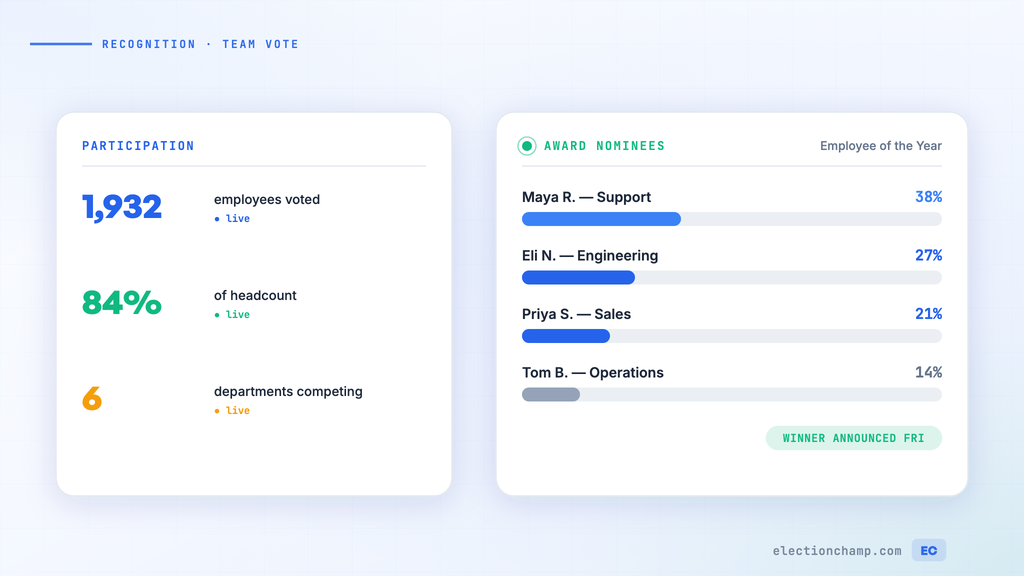
Employee recognition programs work best when they’re perceived as fair, transparent, and genuinely meaningful. Manager-selected awards can feel arbitrary or biased. Peer-nominated, peer-voted recognition carries more weight because it reflects what the team actually values.
Online voting transforms recognition programs from management decisions into community celebrations — and research consistently shows that peer recognition drives higher engagement than top-down awards.
Types of Employee Recognition Votes
|
Award Type |
Voting Method |
Who Votes |
Frequency |
|
Employee of the Month |
Plurality (most votes wins) |
All employees or department |
Monthly |
|
Peer Recognition Awards |
Plurality or Nominations |
All employees |
Quarterly or annually |
|
Team of the Quarter |
Plurality |
All employees or management team |
Quarterly |
|
Innovation Award |
Ranked Choice |
Review panel or all employees |
Annually |
|
Customer Service Star |
Plurality |
Peers + managers |
Monthly or quarterly |
|
Values Champion |
Plurality with categories |
All employees |
Quarterly |
|
Annual Company Awards |
Multiple categories, one ballot |
All employees |
Annually |
Setting Up Employee of the Month Voting
- Create the election: “[Company Name] Employee of the Month — March 2026”
- Collect nominees: Either accept nominations from managers or use ElectionChamp’s Nominations ballot type to let employees write in names
- Build the ballot: Use Plurality voting with Total Winners set to 1 and Selection set to “Exactly 1”
- Add nominee profiles: Include a photo and a brief description of why they were nominated — this helps voters make informed choices
- Enable Random Order: Prevents the first-listed nominee from getting a disproportionate share of votes
- Set a short voting window: 3-5 business days keeps the energy high
- Keep results hidden until you’re ready to announce: leave “Who can see results while voting is open?” on “No one”
- Send notifications: Email works well in office settings; SMS is better for field teams, retail, or warehouse employees
Making It Fair: Anonymous Peer Voting
The power of peer recognition depends on fairness and confidentiality:
- Anonymous ballots: ElectionChamp ensures no one can see who voted for whom — not managers, not HR, not IT
- Equal presentation: Every nominee gets the same space on the ballot, displayed in random order
- One vote per person: Each employee receives one unique voting key — no ballot stuffing
- Clear criteria: Publish what the award recognizes (customer service, teamwork, innovation, etc.) so voters evaluate nominees consistently
Multi-Category Awards Programs
Annual awards ceremonies with multiple categories are easy to set up as a single election with multiple ballot questions:
- Best Team Player — Plurality voting, choose 1
- Innovation Champion — Plurality voting, choose 1
- Customer Hero — Plurality voting, choose 1
- Rising Star (newest employees) — Plurality voting, choose 1
- Leadership Award — Ranked Choice for consensus-based selection
Each category is a separate ballot question within one election. Employees receive one notification, vote on all categories, and submit once. Results are reported separately for each category.
Two-Phase Recognition: Nominations Then Voting
For larger organizations or awards where the nominee pool isn’t predetermined:
Phase 1: Nominations
- Create an election using the Nominations ballot type
- Employees write in the name of the colleague they want to recognize
- The system groups identical names and tallies nomination counts
- Set a 5-7 day nomination window
Phase 2: Voting
- Review the nomination results — take the top 4-6 nominees forward
- Create a new election with these finalists as the candidates
- Add photos and nomination reasons for each finalist
- Run a 3-5 day vote
- Announce the winner at your team meeting, all-hands, or celebration event
Making the Announcement Special
The announcement matters as much as the vote. Ideas to make it memorable:
- Reveal results at a team meeting or all-hands with a brief build-up
- Share the vote count (“Alex received 47 votes from 120 team members!”) to emphasize the community aspect
- Display the winner’s ballot profile (photo + description) on office screens, Slack, or the company intranet
- Consider a small physical prize alongside the recognition — a trophy, gift card, or extra PTO day
- Archive past winners on a “Wall of Fame” page to build program prestige over time
Recurring Programs: Making It Sustainable
Employee recognition voting works best as a consistent program, not a one-time event:
|
Frequency |
Award Type |
Effort Level |
Impact |
|
Monthly |
Employee of the Month |
Low — 30 min setup, reuse template |
High — regular rhythm keeps engagement up |
|
Quarterly |
Team awards, values awards |
Medium — update nominees each quarter |
High — ties to business cycles |
|
Annually |
Multi-category company awards |
Higher — multi-question ballot, ceremony planning |
Very high — signature culture event |
With ElectionChamp’s straightforward setup, creating a new recognition vote each month takes about 15-20 minutes — a small investment for a significant cultural return.
Planning your next vote? Read about online voting for businesses and polls, surveys, and motions, or see pricing: free up to 20 voters, $10 up to 200, then $0.05 per voter.