ElectionChamp
From Paper to Digital: A Better Way to Run Union Elections
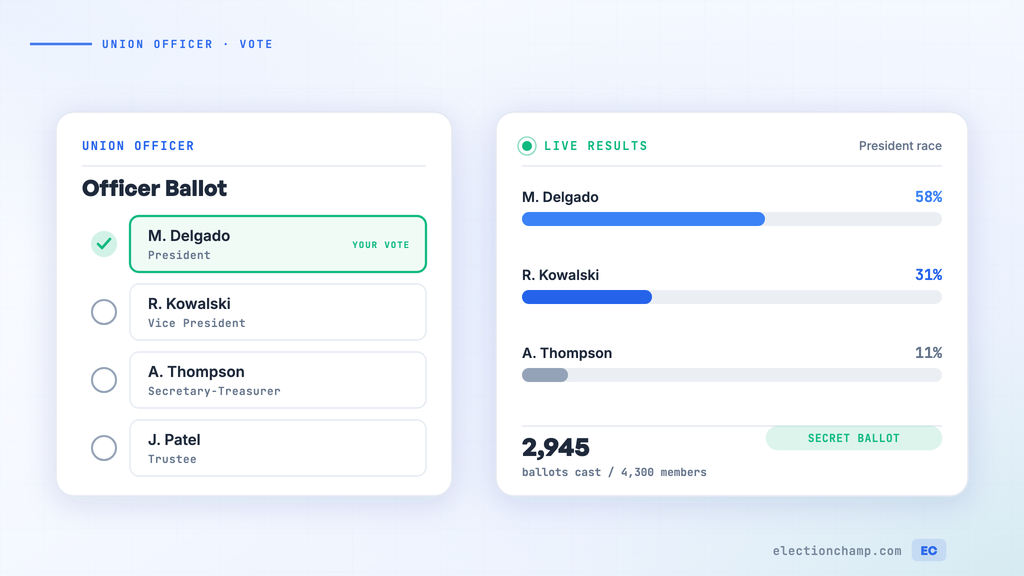
Union officer elections have traditionally relied on paper ballots at meetings or mail-in voting. Both methods have significant drawbacks: meeting-only voting excludes members on different shifts, traveling, or unable to attend. Mail-in voting is slow, expensive, and produces low return rates. Both are difficult to audit and vulnerable to procedural challenges.
Online voting addresses these issues while maintaining the secret ballot protections that the LMRDA requires. This guide walks you through the entire process, from preparation to results certification.
60-90 Days Before the Election
- Verify your constitution authorizes electronic voting. If it doesn’t, initiate a bylaw amendment to add electronic voting authorization.
- Appoint the Election Committee. Members should not be candidates in the upcoming election.
- Compile the complete membership roster. Every member in good standing must be included — no exceptions.
- Set the election timeline. Work backward from your desired election date, ensuring the 15-day notice requirement is met.
- Open nominations per your constitution’s procedures. Announce the nomination period, eligible positions, and qualification requirements.
Gathering Member Contact Information
For online voting to work, you need current email addresses and/or phone numbers for your members:
- Start collecting digital contact information well before the election
- Have shop stewards and local reps verify contact info for their units
- For members without email, plan to use printed keys distributed at the worksite or via mail
- Maintain both email and phone fields — SMS notifications have higher open rates than email among many union demographics
Step 1: Start
- Election Name: Be specific — “UFCW Local 1234 — 2026 Officer Election”
- Voting Window: 7-14 days. Longer windows accommodate shift workers and members on leave.
- Time zone: ElectionChamp detects it from your browser. Use “Change” if your local’s primary time zone is different. Invitations state the deadline in that zone, so tell members in other zones what it means for them.
Settings (Also on the Start Page)
- Who can see results while voting is open: keep “No one”, the default. This prevents anyone, including administrators, from seeing results during voting.
- Voter label: keep this column on, with member name or union ID, for list management. Leave Weighted ballots off: union officer elections require one member, one vote.
- How voters get their key: Email and Text message are recommended. Add Hand out keys for worksite distribution.
Step 2: Ballot
Create one ballot question per officer position:
|
Position |
Voting Method |
Total Winners |
Selection |
|
President |
Plurality |
1 |
Exactly 1 |
|
Vice President |
Plurality |
1 |
Exactly 1 |
|
Secretary-Treasurer |
Plurality |
1 |
Exactly 1 |
|
Recording Secretary |
Plurality |
1 |
Exactly 1 |
|
Trustees (3 seats) |
Plurality |
3 |
Up to 3 |
|
Executive Board (5 seats) |
Plurality |
5 |
Up to 5 |
For each candidate, add a photo and biography through ElectionChamp’s candidate profile feature. All candidates must receive equal presentation — this is both a best practice and a LMRDA requirement.
- Enable Random Order on every question to prevent ballot position bias
- Enable Allow Abstain so members can participate without voting for a particular position
Step 3: Voters
- Paste your membership roster from Excel or Google Sheets, or upload it as a CSV file
- Include every member in good standing — do not filter based on expected participation
- Set 10 to 20 spare keys for members who may need to be added during the voting period
- If you hand out keys, print or download them from the dashboard’s Voters tab after launch, and plan your distribution strategy
Step 4: Invitations
Compose a notification that includes:
- The official election name and your local’s name
- Positions being elected
- Voting window (start and end dates with times)
- Clear instructions: “Click the link below to vote. You will need your unique voter key.”
- A statement that voting is confidential and anonymous
Step 5: Launch
- Preview the ballot to verify all positions, candidates, and settings are correct
- Have the Election Committee review and approve before launch
- Press “Launch election”, then check the dashboard once voting opens to verify that invitations are sent
During the Election
- Monitor participation through the ElectionChamp dashboard — track total votes and participation rate
- Send reminders to non-voters at regular intervals (Day 3, Day 7, Day 12 for a 14-day window)
- Distribute printed keys at worksites for members who haven’t received or opened their email
- Make voter support available — ElectionChamp provides free support to voters who need technical help
- Do not discuss candidates or campaign during the voting period from any official union channel
After the Election
- Download results immediately from the Results tab — CSV report with full vote counts, percentages, and winner designations
- Download the audit trail from the Audit tab — timestamped log of every action
- Send results to all members using ElectionChamp’s one-click results distribution
- Announce results at the next membership meeting
- Archive all election records for at least one year (LMRDA minimum) — we recommend keeping them for the full term of elected officers
- File election results as part of your LM-2 or LM-3 annual report to the DOL
Protest-Proofing Your Election
The best way to avoid a DOL election challenge is meticulous process. Key safeguards:
|
Safeguard |
How ElectionChamp Helps |
|
Secret ballot |
Ballots are architecturally anonymous — no one can link a voter to their selections |
|
Equal candidate treatment |
Random ballot order, equal profile space, identical presentation for all candidates |
|
One member, one vote |
Unique single-use voter keys prevent any member from voting twice |
|
Complete voter list |
Import your full membership roster; spare keys accommodate late additions |
|
Adequate notice |
Send the required notice 15+ days ahead yourself. ElectionChamp invitations go out when voting opens, and the dashboard shows when they were sent |
|
Record preservation |
Download and archive results CSV, audit trail, and voter participation data |
|
Transparency |
Real-time dashboard for Election Committee; audit trail for post-election review |
Planning your next vote? Read about union voting software and contract ratification votes, or see pricing: free up to 20 voters, $10 up to 200, then $0.05 per voter.